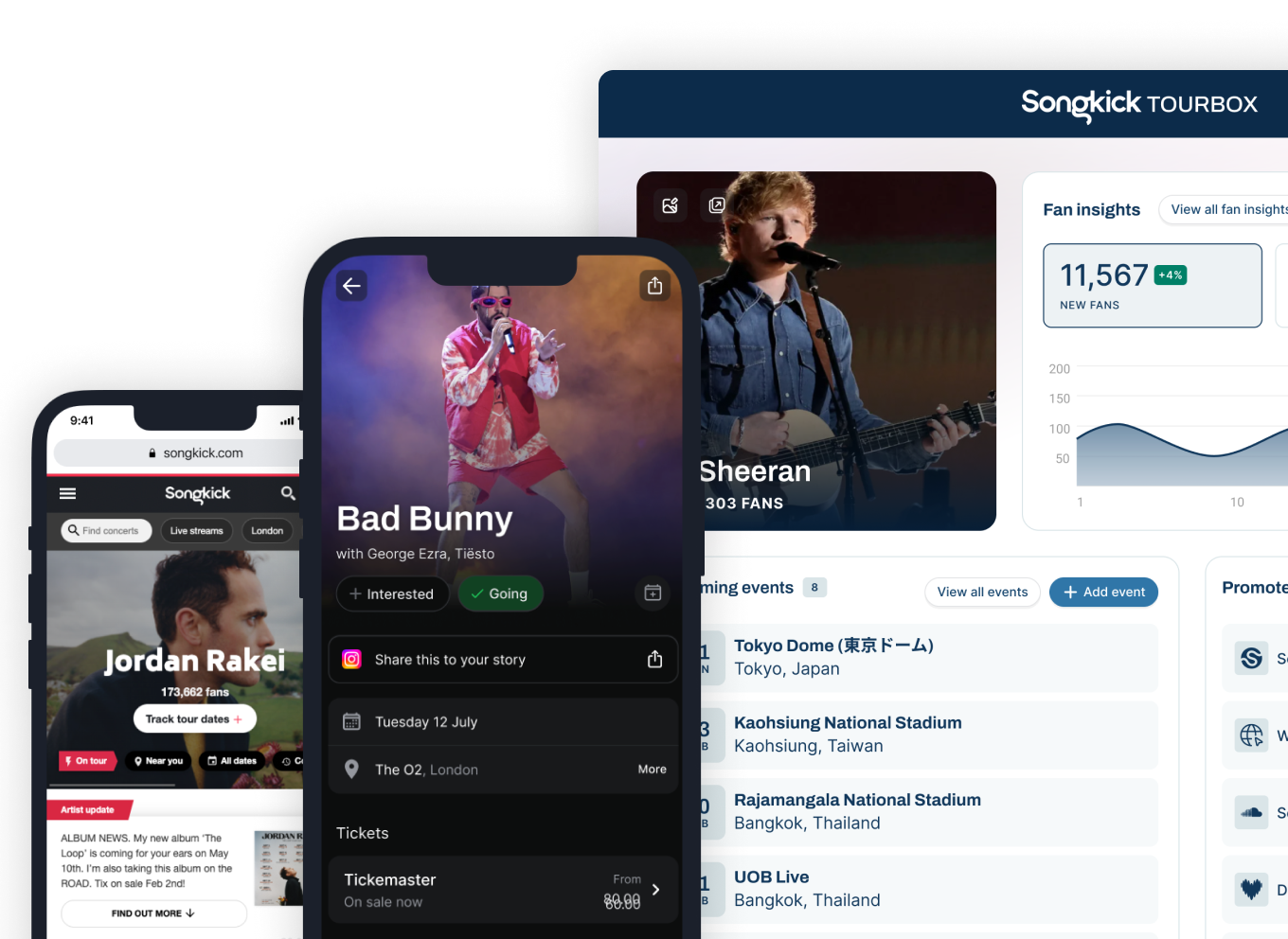
Songkick Tourbox serves as the central digital command center for professional musicians to manage their live performance schedules and distribute concert information across the most influential music platforms worldwide. By providing a direct pipeline to Songkick’s extensive partner network, Tourbox ensures that an artist’s tour dates are accurately reflected on streaming services like Spotify, Apple Music, and Amazon Music, effectively turning passive listeners into ticket-buying fans.
Understanding the Purpose and Value of Songkick Tourbox
For modern touring artists, the primary challenge is not just performing but ensuring that the right audience knows when and where a show is taking place. In the landscape of 2026, where algorithms dictate music discovery, managing tour dates manually across dozens of disparate ticket vendors, social media profiles, and streaming platforms is an impossible task. Songkick Tourbox solves this fragmentation by acting as a single point of entry.
When an artist or their representative inputs a tour date into Tourbox, that information is not siloed. Instead, it is pushed to a vast ecosystem. Because Songkick maintains deep integrations with major digital service providers (DSPs) and high-traffic music discovery sites, a single entry effectively alerts millions of potential attendees. This automated distribution minimizes the risk of human error, such as incorrect venue addresses or misaligned time zones, while maximizing the organic reach of an artist's tour marketing.
Eligibility and Account Prerequisites
Accessing Songkick Tourbox is open to any artist or representative, provided they have a legitimate professional need to manage live event data. Unlike some music marketing platforms that require a specific number of monthly listeners or a verified status on streaming services, Tourbox focuses on the validity of the events being listed.
Prerequisites for Success
To maximize the efficacy of your account, ensure you have the following assets ready before registration:
- Official Artist Imagery: High-resolution press photos for profile branding.
- Verified Venue Data: Precise locations, as Songkick’s database relies on accurate geocoding to notify fans in specific regions.
- Ticket Link Accuracy: Reliable, direct URLs to authorized ticket vendors. Using secondary market or affiliate links that lead to dead ends can frustrate fans and damage the artist’s credibility.
- Management Credentials: Access to official emails associated with the artist’s record label or management firm to expedite the verification process.
The Registration and Verification Process
Setting up a Tourbox account is a straightforward procedure designed to ensure that the individuals managing the tour dates have the authority to do so. The platform prioritizes the authenticity of event data, meaning that artists or their designated tour managers must complete a brief verification step.
- Account Creation: Navigate to the official Songkick Tourbox sign-up portal. You will be asked to provide your artist name and primary contact information.
- Identity Verification: Once you search for your artist profile, the system will prompt you to confirm your identity. This is usually done via an automated email to a registered business domain or through connection with your existing artist profiles on major streaming platforms.
- Dashboard Familiarization: After verification, you gain access to the main dashboard. This interface is categorized by "Upcoming," "Past," and "Draft" events, allowing you to organize multi-leg tours with ease.
- Integration Syncing: You will be prompted to link your social media and streaming accounts. This step is critical; it is the "switch" that allows Songkick to broadcast your tour dates directly to the "Live" or "Concerts" tabs within apps like Spotify and Apple Music.
Managing Tour Data: Best Practices for 2026
Effective use of Tourbox requires more than just logging a date and venue. As fans grow more accustomed to personalized concert alerts, the metadata you provide becomes increasingly important.
Structuring Your Tour Dates
When adding events, pay close attention to the following fields:
- Support Acts: Always list supporting artists. Songkick’s notification system alerts fans of the support act as well as the headliner, effectively cross-pollinating audiences and increasing ticket sales for both parties.
- On-Sale Timings: Specify when tickets become available. If tickets are not yet on sale, utilize the "Announced" status so fans can sign up for notifications.
- Venue Mapping: If a venue is new or incorrectly listed, use the internal reporting tool to update the coordinates. Providing precise location data ensures your show appears in local discovery feeds.
The Impact of Automated Notifications
Songkick operates on a "Fan Tracking" model. When a user "tracks" an artist, they receive an email or push notification the moment a new date is added to Tourbox. By keeping your Tourbox account updated in real-time, you are essentially initiating a targeted email marketing campaign without the overhead costs. This immediate communication is often the difference between a sold-out show and a venue with low attendance.
Comparison of Event Management Solutions
Artists often ask how Songkick Tourbox compares to other industry tools. The table below outlines the functional positioning of Tourbox within the broader music technology landscape.
| Feature | Songkick Tourbox | Social Media Pages | Ticketing Platforms |
|---|---|---|---|
| Primary Goal | Centralized Discovery | Community Engagement | Transaction Processing |
| Streaming Integration | High (DSPs) | Low | Varies |
| Global Reach | Extensive | Platform-Dependent | Limited to Vendor |
| Fan Notifications | Direct (Email/Push) | Algorithm-Dependent | Limited |
| Cost | Free (for artists) | Free (Ad-dependent) | Transaction Fees |
Troubleshooting Common Issues
Even with a robust system, errors can occur. Most issues relate to data propagation delays or mapping errors.
- Dates Not Showing on Streaming Services: If a show is confirmed in Tourbox but absent from Spotify or Apple Music, verify the sync status. There is often a 24- to 48-hour propagation period. Ensure the artist name in your streaming profile exactly matches the name in Tourbox.
- Duplicate Listings: If multiple listings exist for the same event, use the "Merge" or "Report" function. Duplicate listings confuse fans and dilute your ticket sales data.
- Incorrect Venue Location: If your fans are being directed to the wrong city, check the "Venue" field in Tourbox. Manually selecting the correct venue from the system's verified database—rather than typing a custom address—usually resolves location-based discrepancies.
Frequently Asked Questions
Is there a cost to use Songkick Tourbox?
No, Songkick Tourbox is a free service for artists, managers, and labels. The platform benefits from the high-quality, verified event data provided by users, which in turn powers the concert discovery features used by millions of fans on partner platforms.
Can I list festival dates in Tourbox?
Yes, and you should. Festivals have a large audience overlap. By listing festival appearances, you appear in the tour schedules of every artist on that lineup, increasing your visibility to fans who might be discovering you for the first time while researching the festival.
How do I update ticket links if they change?
You can log into your Tourbox account at any time to edit event details. If a ticket provider changes or a link breaks, update the URL in the event editor. These changes typically propagate across the Songkick partner network within a few hours.
Does Tourbox handle ticket sales?
No, Tourbox is an information management and distribution tool. You must still contract with a ticketing agency (such as Ticketmaster, Dice, or Eventbrite) to handle the actual transactions. Tourbox simply acts as the bridge that directs fans to those transaction portals.
What if my artist name is shared by another band?
This is a common issue in the digital age. When setting up your account, be prepared to provide documentation (such as links to your official website or streaming profiles) that proves your specific identity. Songkick’s support team can assist in separating profiles if your data becomes conflated with another artist.
Can I track my analytics through Tourbox?
Tourbox provides basic engagement metrics, such as how many fans have tracked your artist profile and how many clicks your ticket links are receiving. While not a replacement for deep-dive marketing analytics, these insights are useful for gauging the effectiveness of your tour announcements.
Strategic Next Actions for Artists
To get the most out of Songkick Tourbox in 2026, establish a rigorous "Tour Date Protocol" within your management team. Whenever a show is confirmed, the entry into Tourbox should be treated with the same level of importance as issuing a press release or updating your website.
- Audit your current profile: Log in this week to ensure all links are active and all past dates are correctly archived.
- Appoint a lead: Designate one person on your team to own the Tourbox account to ensure consistency in formatting and data entry.
- Leverage your fanbase: Encourage your fans to "Track" you on Songkick via your social media channels. The more followers you have on the platform, the more effective your automatic notifications will be when you announce your next tour leg.
By treating Songkick Tourbox as a foundational element of your digital infrastructure rather than an optional chore, you ensure that your live performance data is always accurate, discoverable, and ready to convert fans into attendees.