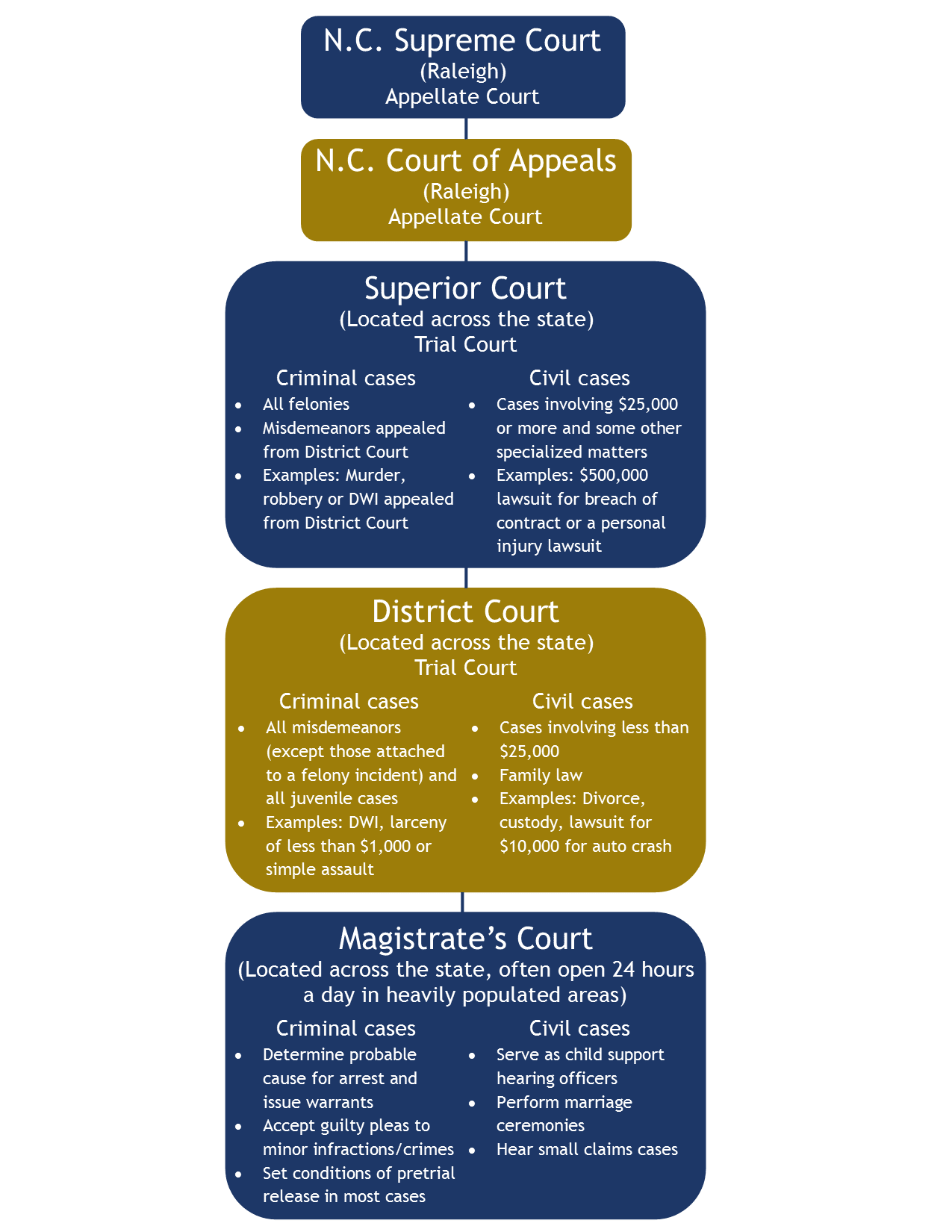
Navigating the North Carolina judicial system requires timely and accurate access to court schedules, particularly at the district court level where misdemeanor crimes, infractions, civil disputes under $25,000, and domestic relations matters are adjudicated. The official North Carolina Court Calendar system provides free online public access to daily dockets across all 100 counties, allowing attorneys, defendants, plaintiffs, and interested members of the public to track courtroom settings, presiding judges, room assignments, and specific case call times for any given district.
Overview of the North Carolina District Court System
The North Carolina District Court division is the lowest level of trial court in the state judicial branch, handling a massive volume of legal matters ranging from minor traffic tickets to complex child custody battles. Understanding how this court is structured helps clarify how cases are organized on daily and weekly dockets. Unlike Superior Courts, which handle felony criminal cases and large civil disputes with a right to a jury trial, District Court trials are decided by a judge (bench trials), with very narrow exceptions such as certain types of involuntary commitment hearings or juvenile proceedings where specific statutory rights apply.
The state is divided into trial court districts, which encompass one or more counties. Within these districts, court sessions are scheduled continuously based on administrative calendars set by the Chief District Court Judge of each specific district. Because multiple courtrooms operate simultaneously—handling traffic court, civil small claims, domestic violence protective orders, and criminal misdemeanor arraignments—the official docket system acts as the centralized ledger organizing these parallel proceedings.
To manage this volume efficiently, the North Carolina Judicial Branch provides an electronic public portal hosted through the North Carolina Court System official website. This resource eliminates the historical requirement of visiting the physical courthouse clerk's office merely to check a hearing date, though physical notices and physical bulletin boards inside the courthouse remain the ultimate official record of proceedings.
Understanding Court Calendar Categories and Structures
When searching for a specific proceeding, users must understand how dockets are classified. North Carolina district court calendars are generally separated by case type, courtroom number, and presiding judge. Because dockets are updated dynamically to reflect continuances, dismissals, and new filings, knowing the specific category of your case dictates how quickly you will find the relevant information.
The primary calendar categories found within the district court system include:
- Criminal and Traffic Dockets: These lists include individuals charged with misdemeanor offenses, local ordinance violations, and motor vehicle infractions. They display the defendant's name, file number, charge, attorney of record, and scheduled session time (typically morning or afternoon blocks).
- Civil District Dockets: These cover general civil lawsuits where the amount in controversy is $25,000 or less, magistrate appeals, landlord-tenant eviction proceedings (summary ejectment), and collection matters.
- Domestic Relations and Family Court Dockets: These specialized dockets cover divorce, equitable distribution, alimony, child support, child custody, and domestic violence protective orders (DVPOs). Due to the sensitive and often confidential nature of family law, certain juvenile and domestic files may have restricted public access under state law.
- Juvenile Dockets: These involve abuse, neglect, dependency (AND) proceedings and undisciplined or delinquent behavior by minors. These dockets are strictly closed to the general public to protect the privacy of minors.
How to Search and Navigate the NC Court Calendar Online
Accessing the electronic dockets requires navigating the online search tools provided by the North Carolina Administrative Office of the Courts (NCAOC). The search interface allows users to filter records by county, courtroom, date range, and specific names or case numbers.
- [User Access Portal]
- Select County (100 Options)
- Select Court Type (Criminal / Civil / Domestic)
- Filter by Date, Judge, or Defendant Name
- View Active Daily Docket PDF / Electronic Record
- Select Court Type (Criminal / Civil / Domestic)
- Select County (100 Options)
To perform an effective search, follow these sequential steps to minimize errors and locate the correct session:
- Navigate to the Official Portal: Access the public court calendar page via the North Carolina Judicial Branch Court Dates Portal.
- Select the Jurisdiction: Choose the specific North Carolina county where the legal matter is filed. Cases are strictly managed at the county level within the broader district.
- Choose the Court Type: Filter the search parameters by selecting the appropriate division (District Court) and case category (Criminal, Civil, or Estate/Special Proceedings if applicable).
- Enter Search Criteria: Input the last name and first name of the party, the attorney's name, or the exact case file number if known. Alternatively, users can browse by date to view an entire day's master calendar for a specific courtroom.
- Review Docket Details: Examine the resulting records. Ensure the middle initial, spelling of names, and statutory charges match the specific case you are tracking.
Comparing Search Methods: Online Portal vs. Courthouse Physical Dockets
| Feature / Method | Online Court Calendar Portal | Physical Courthouse Clerk's Office |
|---|---|---|
| Accessibility | 24/7 access from any internet-connected device. | Restricted to standard business hours (Monday–Friday). |
| Speed | Instantaneous search by name, date, or case number. | Requires manual lookup via public computer terminals or paper lists. |
| Real-Time Accuracy | Subject to electronic synchronization delays; same-day changes may not appear instantly. | Represents the most current working sheet utilized by the courtroom bailiff and judge. |
| Document Availability | Provides schedule and basic case metadata; limited full-file document viewing online. | Access to comprehensive physical case files, exhibits, and stamped pleadings. |
Legal Terminology and Data Fields on District Court Calendars
Reading a North Carolina district court calendar requires familiarity with standard shorthand and data fields utilized by court clerks. Misinterpreting these abbreviations can lead to missed court dates, which carry severe legal penalties such as failure to appear (FTA) warrants in criminal matters or default judgments in civil cases.
Common data fields and abbreviations found on district calendars include:
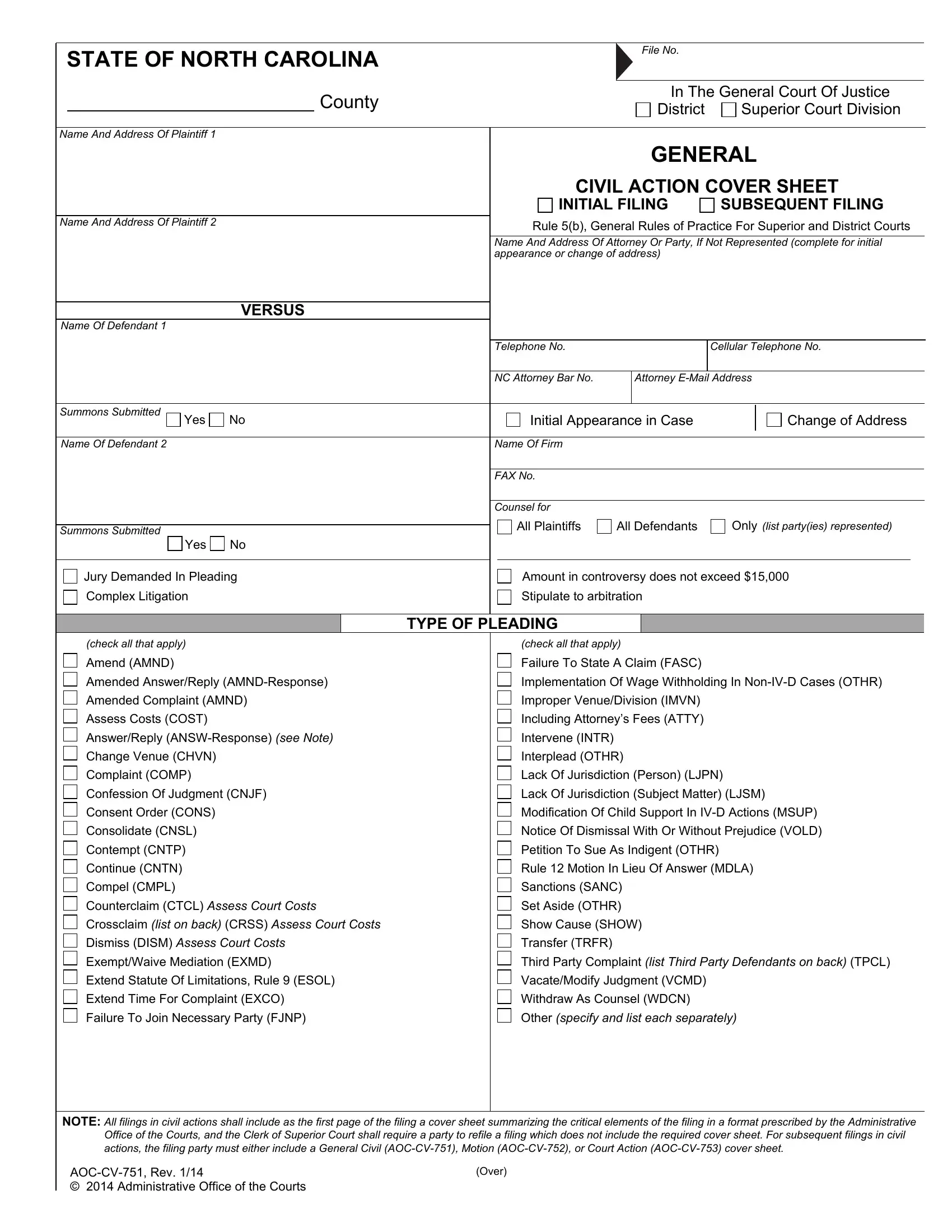
- File Number: A unique alphanumeric identifier assigned to every case (e.g., 25CR123456 for a 2025 criminal case, or 25CVD789 for a 2025 civil district domestic case). The prefix indicates the year of filing, the court division, and the case type.
- Defendant / Respondent / Plaintiff: The parties involved in the litigation. In criminal cases, the state is the prosecutor, and the defendant is the individual accused. In civil cases, the plaintiff initiates the suit, and the defendant responds.
- Atty / Counsel: The attorney representing a party. If the field reads "PD" (Public Defender) or lists a designated appointed counsel, the party is represented by court-appointed legal aid. If left blank, the party is currently listed as pro se (representing themselves).
- Continuance (CONT): An indicator that a case has been rescheduled to a future date by motion of one of the parties or the presiding judge.
- Sess / Time: The specific block of court time, usually divided into morning sessions (typically starting at 9:00 AM) or afternoon sessions (typically starting at 2:00 PM).
Common Mistakes to Avoid When Using Court Calendars
Failing to verify schedule changes correctly is one of the most frequent errors made by litigants and inexperienced practitioners. Because court schedules are fluid and subject to last-minute administrative adjustments by the Chief District Court Judge, reliance on outdated information can disrupt legal proceedings.
- Relying Solely on Old Printouts: Printing a calendar a week in advance is risky. Judges frequently add emergency matters, grant emergency continuances, or swap courtroom assignments. Always re-verify the active docket online or with the clerk's office 24 to 48 hours before the appearance.
- Confusing District and Superior Court: Ensure you are looking at the correct court tier. A criminal misdemeanor charge handled in District Court will not appear on a Superior Court docket unless it has been appealed or indicted upward as a felony.
- Ignoring County Boundaries: North Carolina has 100 counties, and many municipalities span multiple counties or judicial districts. Always confirm the exact county courthouse where the proceeding is scheduled. For instance, a traffic stop occurring near a county line may require appearance in an adjacent judicial district.
- Overlooking Local Rules: Each judicial district maintains its own local administrative rules regarding scheduling motions, discovery deadlines, and calendar requests. Reviewing state-level calendars without checking local district rules can lead to procedural non-compliance.
Frequently Asked Questions About NC District Court Calendars
How far in advance are North Carolina district court calendars published online?
Generally, criminal and traffic dockets are published online one to two weeks before the court date, while civil and domestic dockets may be published further in advance depending on the local clerk of court's administrative schedule.
What should I do if my name or case does not appear on the online calendar?
If your case is newly filed, it may take several business days for the clerk of court to process the paperwork and enter the data into the electronic system. Contact the Clerk of Superior Court's office in the specific county where the case originates to verify its status.
Can I look up criminal record histories using the district court calendar?
The online court calendar is designed for tracking active and scheduled court dates, not as a comprehensive criminal background check tool. For formal criminal history background checks, individuals typically utilize the state's criminal record search services managed directly through the North Carolina Judicial Branch.
Are all district court documents viewable online?
No. While scheduling dates and basic public case metadata are accessible, many confidential files—including juvenile matters, mental health commitments, and certain sensitive domestic documents—are restricted from public remote viewing to protect individual privacy.
What happens if I miss a court date listed on the district court calendar?
Missing a criminal court date typically results in the issuance of an Order for Arrest (OFA) and an additional criminal charge for failure to appear, along with potential driver's license revocation. Missing a civil court date often results in a default judgment entered against the absent party. If you miss a date, contact an attorney or the clerk of court immediately.
Next Actions and Professional Guidance
If you have an active legal matter in a North Carolina district court, your immediate priority should be verifying your exact courtroom location, arrival time, and presiding judge through the official county portal. Because legal procedures carry significant financial and liberty implications, consult with a licensed North Carolina attorney who practices within your specific judicial district if you require formal legal advice or representation.