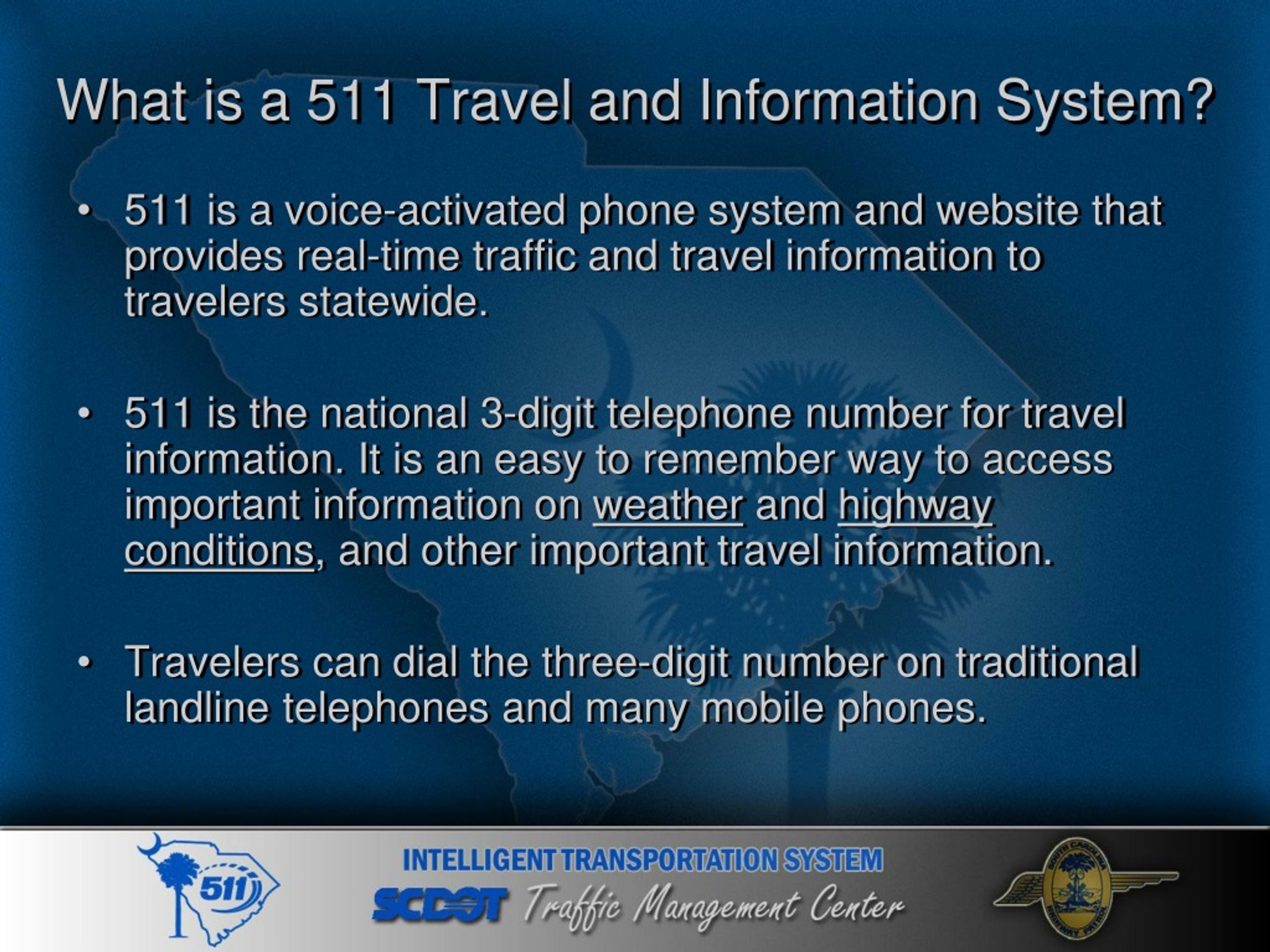
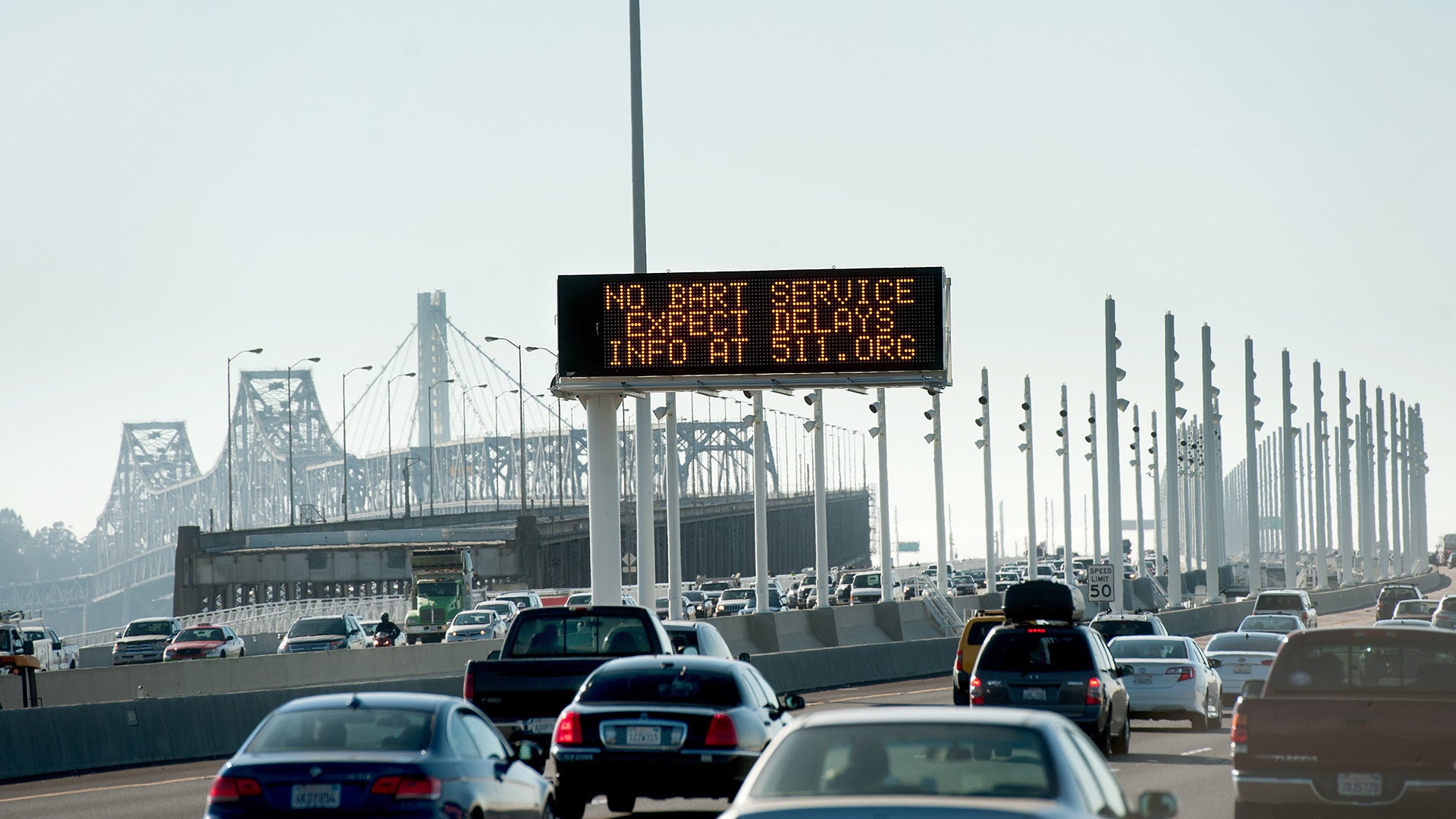
511 is the nationally designated telephone number and digital platform for traveler information in North America. By dialing 511 or accessing regional websites and apps, commuters and long-distance travelers receive official, real-time updates on traffic congestion, accidents, construction zones, and weather-related road conditions provided directly by government departments of transportation.
The 511 system represents a critical bridge between government infrastructure data and the traveling public. Established to provide a centralized, easy-to-remember point of access, it consolidates data from thousands of road sensors, traffic cameras, and emergency response feeds. As we navigate the complexities of modern transit in 2026, understanding how to leverage this official data source—often more precise than third-party crowdsourced apps—is essential for safe and efficient travel.
The Evolution and Purpose of 511 Systems
The concept of a universal traveler information number was formalized by the Federal Communications Commission (FCC) in July 2000. Before this designation, travelers had to memorize dozens of local phone numbers or tune into specific AM/FM radio stations to get highway updates. The FCC designated 511 as the nationwide three-digit code for traveler information, similar to how 911 serves emergencies or 411 serves directory assistance.
The primary mission of 511 traffic services is to enhance safety and reduce congestion. By providing motorists with advance warning of incidents or adverse weather, transportation agencies can encourage drivers to take alternate routes, delay their trips, or prepare for hazardous conditions. This proactive approach helps reduce secondary accidents—collisions that occur because of a previous incident—which account for a significant portion of highway fatalities.
In 2026, the 511 system has evolved far beyond a simple voice recording. It is now a multi-modal platform integrated into the broader "Intelligent Transportation Systems" (ITS) framework. This framework connects physical road infrastructure with digital communication networks, allowing for a seamless flow of data from a pavement sensor to a driver's smartphone or dashboard interface.
How 511 Collects and Verifies Traffic Data
One of the most frequent questions users have is where 511 data comes from and why it might differ from commercial apps like Google Maps or Waze. While commercial apps rely heavily on crowdsourcing (tracking the GPS pings of other users), 511 relies on authoritative infrastructure data.
Pavement Sensors and Radar
State Departments of Transportation (DOTs) install inductive loop sensors under the pavement of major highways. These sensors detect the presence and speed of vehicles passing over them. In areas where digging up the road is impractical, microwave radar or infrared sensors are mounted on overpasses to monitor traffic volume and velocity. This data is fed directly into 511 systems to generate those familiar "green, yellow, red" congestion maps.
Closed-Circuit Television (CCTV)
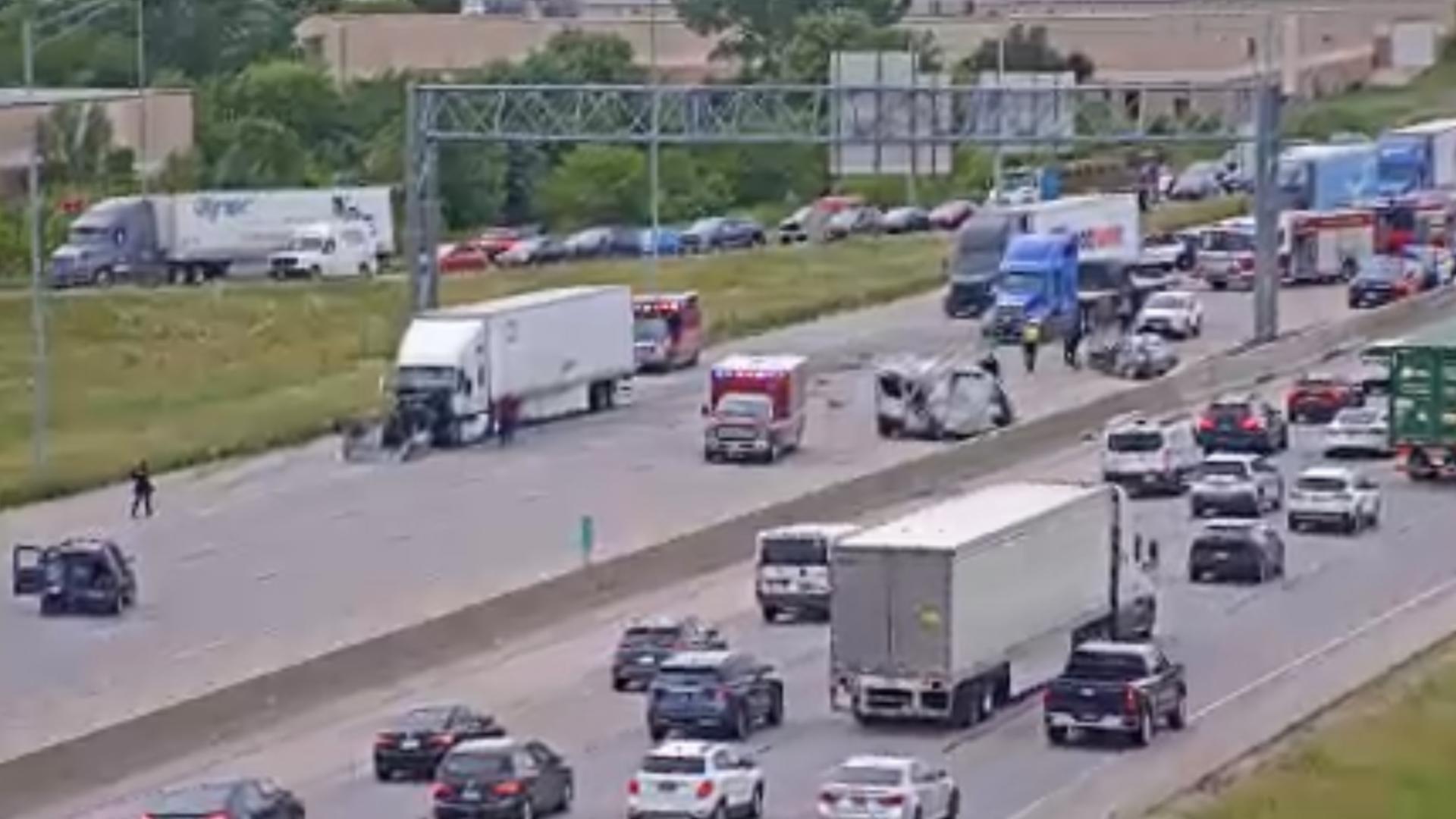
511 systems provide public access to thousands of traffic cameras. These cameras allow DOT operators to verify reports of accidents or debris on the road before posting an alert. For the user, viewing a live camera feed via a 511 website or app provides visual confirmation of road conditions—something a simple GPS map cannot offer.
Environmental Sensor Stations (ESS)
For winter travel, 511 is indispensable because it integrates data from ESS. These stations measure not just air temperature, but the actual surface temperature of the bridge decks and pavement, as well as the concentration of de-icing chemicals. This allows 511 to provide specific warnings like "Ice on Bridge" or "Black Ice Possible," which are critical for safety.
Maintenance and Emergency Feeds
When a snowplow is active, or a maintenance crew closes a lane for repairs, that information is logged in a DOT’s maintenance management system. This "planned" data is immediately pushed to the 511 platform. Because it comes from the agency performing the work, 511 is often the first to know about scheduled closures before they even begin to affect traffic flow.
Methods of Accessing 511 Services
Accessing 511 traffic information is designed to be redundant, ensuring that users can find information regardless of their technology level or current environment.
1. The Telephone Interface (Voice IVR)
The traditional way to use the service is by dialing 5-1-1 on a mobile or landline phone. Most systems use Interactive Voice Response (IVR) technology, allowing users to speak commands like "Traffic for I-95" or "Reports for Downtown."
- Pros: Safe for hands-free use while driving; accessible on older mobile devices.
- Cons: Navigating voice menus can be slow; no visual data.
2. Web Portals
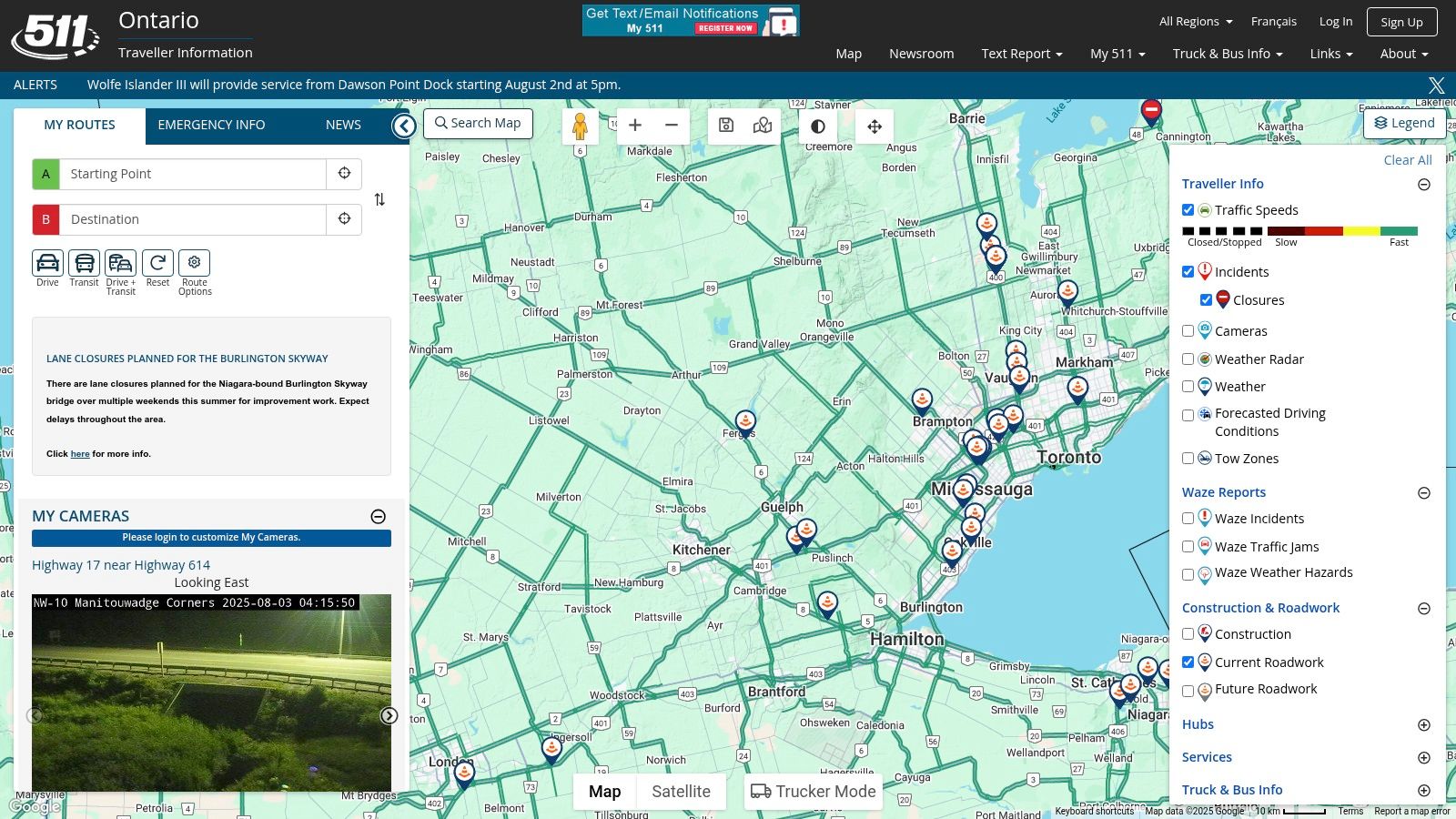
Every participating state or region maintains a 511 website (e.g., 511PA.com for Pennsylvania or FL511.com for Florida). these portals offer interactive maps, full access to CCTV cameras, and detailed text descriptions of every active incident.
- Pros: Best for pre-trip planning; highest level of detail.
- Cons: Not suitable for use while operating a vehicle.
3. Mobile Applications
Modern 511 apps combine the visual benefits of the web portal with the mobility of the phone system. Most 2026-era 511 apps include features like "Drive Mode," which uses the phone's GPS to provide audio alerts only for incidents located on the driver's current path.
- Pros: Personalized alerts; "near me" functionality; integrated camera views.
- Cons: Requires data connection; can be distracting if not used in hands-free mode.
4. Personalized Alerts
Many 511 systems allow users to create an account and register specific "favorite" routes, such as a daily commute. Users can sign up for SMS, email, or push notifications that trigger only when an incident occurs on those specific routes during a defined time window (e.g., 7:00 AM to 9:00 AM).
Comparing 511 Traffic with Commercial Navigation Apps
While apps like Waze and Google Maps are ubiquitous, they serve a different primary purpose than 511. Understanding these differences allows a driver to use the best tool for the situation.
| Feature | 511 Traffic Systems | Commercial Apps (Waze/Google) |
|---|---|---|
| Primary Data Source | DOT Sensors, Cameras, Police Reports | Crowdsourced GPS pings, user reports |
| Verification | Verified by DOT operators/officials | Often unverified or community-verified |
| Live Cameras | Yes (Publicly accessible feeds) | No |
| Winter Conditions | Detailed (Pavement temp, plow tracking) | General (Snow/Ice icons) |
| Planned Construction | High accuracy (Permit-based data) | Variable (User-reported or delay-detected) |
| Routing/Navigation | Basic or none | Advanced (Turn-by-turn, ETA) |
| Public Transit Info | Often integrated (Buses, Trains, Ferries) | Variable (Primarily Google/Apple) |
Commercial apps excel at routing—getting you from point A to point B using the fastest possible path. However, 511 excels at situational awareness. For example, during a major blizzard or after a significant natural disaster, 511 is the only source that provides official road closure status and "no travel" advisories directly from the authorities who have the power to close those roads.
Regional Variations and Coverage Gaps
It is important to note that 511 is not a single, monolithic entity managed by the federal government. Instead, it is a decentralized network managed by state DOTs or regional coalitions. Consequently, the user experience can change when you cross state lines.
- State-Managed Systems: Most states (like California, Florida, and Virginia) have robust, statewide 511 systems. When you dial 511 near a border, the cell tower usually routes your call to the state you are currently in.
- Regional Systems: In some areas, such as the San Francisco Bay Area, the 511 system is managed by a regional planning agency rather than the state, focusing heavily on multimodal transit (buses, trains, ferries) alongside highway traffic.
- States Without 511: A small number of states have retired their 511 phone numbers in favor of mobile apps or social media updates. In these areas, dialing 511 may result in a recorded message directing you to a specific website or app.
Before a long-distance trip, it is a best practice to check the 511 website of your destination state to see if they offer a mobile app or a specific notification service that differs from your home state.
511 Traffic and Public Safety Alerts
Beyond daily commuting, 511 plays a vital role in public safety. Because it is an official government channel, it is often used to disseminate emergency information that requires broad public awareness.
- AMBER Alerts: When a child is abducted, 511 systems often display alert information on their maps and include it in their voice menus.
- Silver Alerts: Used for missing seniors or individuals with cognitive impairments.
- Blue Alerts: Issued when a law enforcement officer has been killed, seriously injured, or is missing in the line of duty, and the suspect is at large.
- Evacuation Orders: During hurricanes, wildfires, or other disasters, 511 becomes a primary source for evacuation route status, contraflow lane updates (where all lanes travel in one direction), and shelter locations.
Tips for Using 511 Safely and Effectively
To get the most out of 511 without compromising safety, consider the following expert recommendations:
- Check Before You Go: The most effective use of 511 is as a pre-trip planning tool. Check the desktop website or the app on your phone while still at home or in your office. Look at the camera feeds for your intended route to see the "ground truth" of the weather and traffic.
- Use the Hands-Free Voice System: If you are already on the road and encounter unexpected delays, use the voice-activated phone system (dial 511). Most modern vehicles allow you to trigger the call via steering wheel buttons or voice commands to your smartphone (e.g., "Siri/Google, call 511").
- Understand the Icons: 511 maps use standardized icons. A "hard closure" (road completely blocked) is usually a red circle with a white bar. A "collision" is often represented by two cars impacting. Familiarize yourself with these symbols on the website legend so you can interpret the map at a glance.
- Don't Rely Solely on ETA: Commercial apps provide an Estimated Time of Arrival (ETA), but they might not know why a delay is happening. Use 511 to find the cause. If 511 reports a "Hazardous Materials Spill" that will take six hours to clear, you should choose a drastically different route or stay put, even if a navigation app suggests the delay is only 20 minutes based on current tailbacks.
Troubleshooting Common 511 Issues
Despite being a robust system, users may occasionally encounter issues with 511 services.
- Voice Recognition Failure: In the phone system, background noise (wind, road noise, loud passengers) can interfere with the IVR's ability to understand you. If the system is struggling, try to use short, one-word commands like "Traffic," "Construction," or a specific "Highway Number."
- Location Misrouting: If you are near a state border, your cell signal might be picked up by a tower in the neighboring state, routing your 511 call to the wrong DOT. In this case, most systems have an option to "Select another state" or "Transfer to a neighboring system" in the main menu.
- App Crashes during Major Events: During severe weather events, 511 websites and apps experience massive spikes in traffic. If an app is slow or crashing, check the DOT's official X (formerly Twitter) or Facebook pages, as they often post the most critical updates there when web servers are under heavy load.
Frequently Asked Questions
Does calling 511 cost money?
In almost all cases, the 511 service itself is free. However, your mobile service provider may apply standard airtime charges or use your plan's minutes, just like any other phone call. If you are using the 511 mobile app, it will use your mobile data. There are no "premium" fees associated with dialing this N11 code.
Can I use 511 to report an accident?
No. 511 is a traveler information line, not an emergency reporting line. If you witness an accident, see a dangerous driver, or have an emergency, you should always dial 911. While some 511 voice menus may have an option to "Report an Incident," this is typically for non-emergency debris or a stalled vehicle, and it often just routes you to a non-emergency police dispatcher.
Is 511 available in Canada?
Yes. Several Canadian provinces, including Ontario, Quebec (as 511 Québec), and British Columbia (DriveBC), utilize the 511 number or similar traveler information systems. The functionality is very similar to the U.S. system, focusing on highway conditions and winter road safety.
How often is 511 traffic data updated?
Sensor-based traffic speeds are typically updated every 1 to 5 minutes. Incident reports (accidents/stalls) are updated as soon as a DOT operator or police dispatcher enters the information into the system, which is usually within minutes of verification. Camera images usually refresh every 2 to 10 minutes, though some systems offer live streaming video.
Why doesn't 511 show traffic on my local residential street?
The 511 system is designed for "state-maintained" roads. This generally includes Interstates, U.S. Highways, and State Routes. Most 511 systems do not monitor local residential streets or city-owned roads unless they are major arterials that significantly impact highway traffic. For local city traffic, commercial crowdsourced apps are usually more effective.
Recommendation for Travelers
For the best experience, download the 511 mobile app for your specific state and set up a personalized profile with your "Favorite Routes." This allows the system to push critical alerts to you before you even start your engine. Always use 511 in conjunction with a navigation app: use the navigation app for the fastest route, and use 511 to verify the safety and official status of that route, especially during the winter months or during major holiday travel periods.