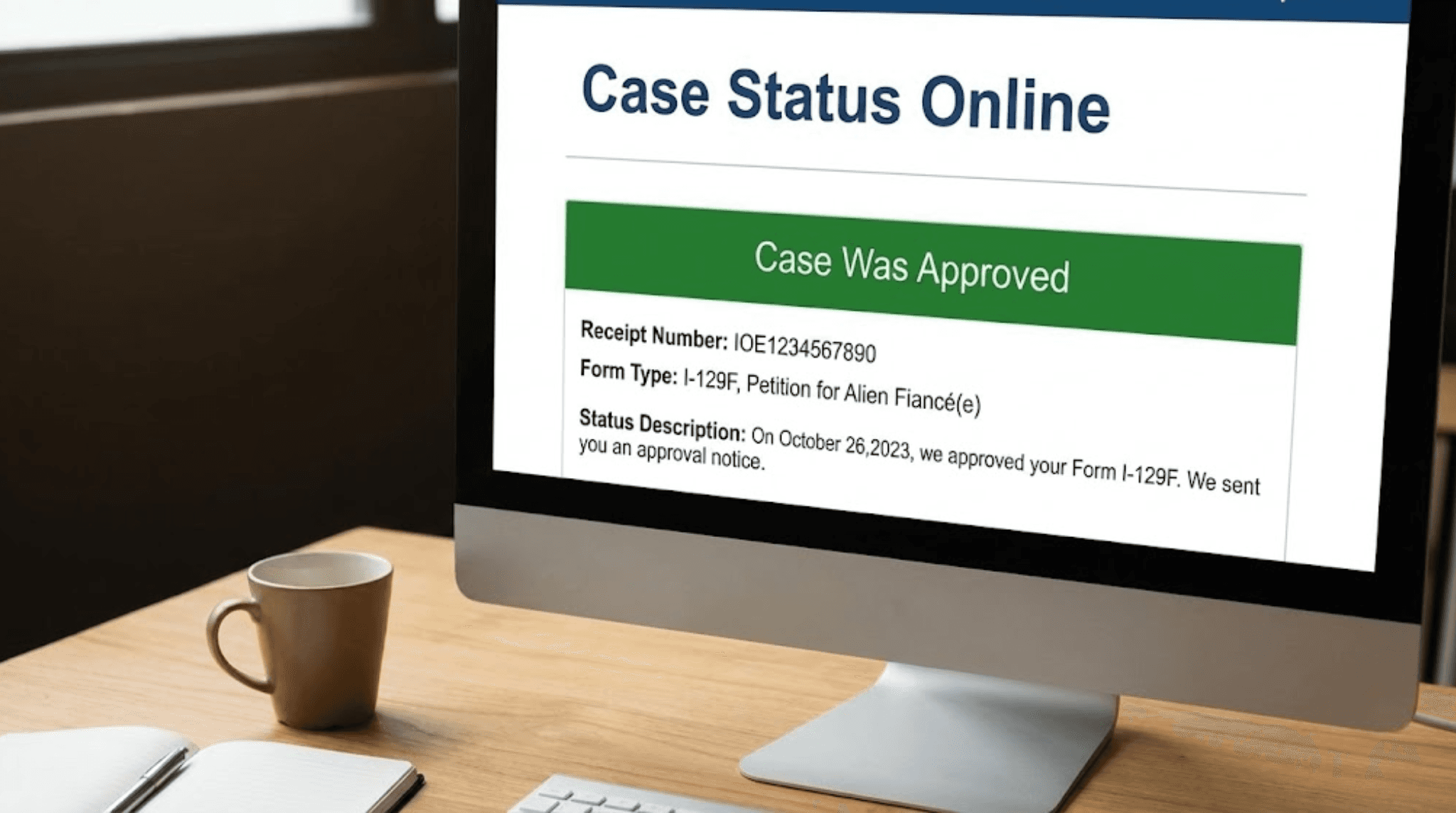
Checking your case status is the essential process of monitoring the progress of a pending application or petition with a government agency, most commonly the U.S. Citizenship and Immigration Services (USCIS). By using a 13-character receipt number, applicants can access real-time updates through the USCIS online portal to determine if their case is received, under review, or approved.
While the term "case status" is frequently used in civil litigation, insurance claims, and social security applications, it is most dominant within the context of U.S. immigration. In 2026, the digital infrastructure for tracking these cases has become highly integrated, allowing for more precise forecasting and electronic communication between the government and the petitioner. This guide focuses primarily on the USCIS ecosystem while providing the necessary context for secondary legal applications.
Understanding the "Case Status" Ecosystem
The phrase "case status" refers to the official standing of a formal request or legal matter within a structured system. Whether you are awaiting a decision on a family-sponsored green card, a work authorization (EAD), or a civil lawsuit in state court, knowing your status allows you to manage expectations and take timely action if the agency requires more information.
In the legal and administrative landscape of 2026, case status tracking serves three primary functions:
- Verification of Receipt: Confirming that the agency or court has officially accepted your filing and assigned it a tracking identifier.
- Milestone Tracking: Identifying which stage of the "workflow" the case is currently in (e.g., biometrics, interview, or final adjudication).
- Action Alerts: Notifying the user of "Requests for Evidence" (RFE) or "Notices of Intent to Deny" (NOID), which require immediate responses to prevent case dismissal.
The Key to Your Case: The Receipt Number
To check any USCIS case status, you must possess a Receipt Number. This is a unique 13-character identifier assigned to each application or petition. It is found on the Form I-797C, Notice of Action, which USCIS mails to the applicant or their attorney after a filing is accepted.
The structure of a receipt number is not random; it contains specific metadata about how and where your case is being processed:
- Service Center Codes (First 3 Letters): These indicate the location processing the case. Common codes include IOE (ELIS/Electronic processing), WAC (California Service Center), EAC (Vermont Service Center), LIN (Nebraska Service Center), SRC (Texas Service Center), and MSC (National Benefits Center).
- Fiscal Year: The next two digits represent the government’s fiscal year in which the case was received.
- Working Days: The next three digits represent the computer workday in the fiscal year when the case was opened.
- Case Sequence: The final five digits are the unique number assigned to your specific file.
How to Check Your USCIS Case Status Online
In 2026, there are two primary ways to check your status through official channels. While third-party apps exist, using official government portals ensures the highest level of data security and accuracy.
1. The Public Case Status Search Tool
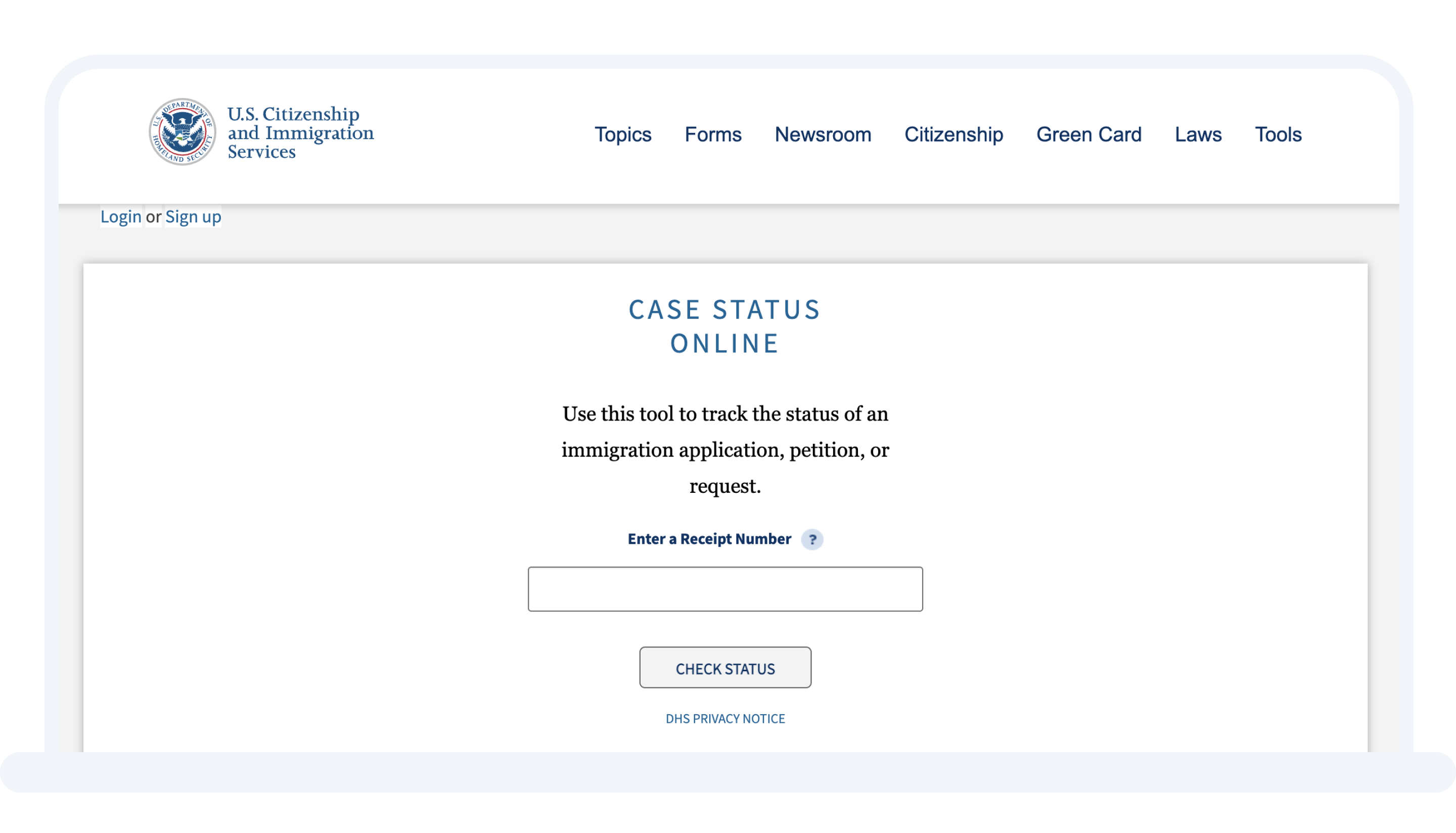
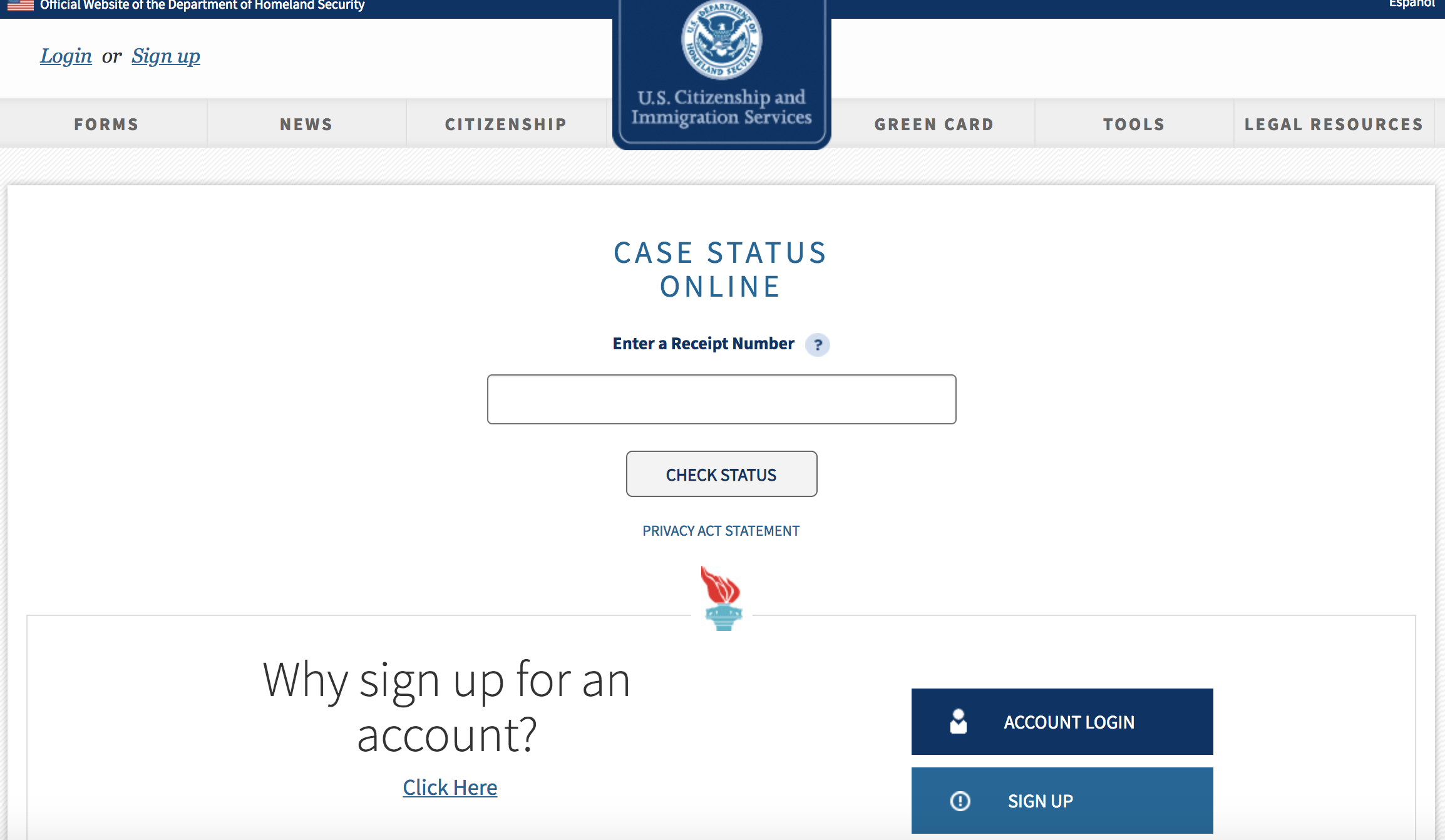
The fastest way to get a quick update is the USCIS Case Status Online tool. This does not require an account. You simply enter your 13-character receipt number (omitting dashes but including letters) and click "Check Status."
This tool provides a brief summary of the most recent action taken on the case. It is ideal for quick checks but does not provide the full history of the application or allow for the download of official notices.
2. The MyUSCIS Online Account
For a comprehensive view, creating a MyUSCIS Account is highly recommended. This portal offers a "personalized" experience. Once logged in and the case is linked to the account, users can:
- View the entire history of the case from receipt to the current date.
- See "Estimated Wait Times" for certain form types (like the I-130 or I-485).
- Upload responses to Requests for Evidence (RFE) digitally.
- Access the "Documents" tab to see PDF copies of every notice mailed to them.
- Update their mailing address instantly via an integrated AR-11 system.
Decoding Common Case Status Messages
One of the most stressful aspects of the immigration process is interpreting the specific language used by the agency. Status updates are often concise and can be misinterpreted.
Case Was Received
This means USCIS has received your application and the appropriate filing fees. It does not mean the application is "complete" or "correct"—only that it has passed the initial intake threshold. You should receive your physical receipt notice in the mail within 7–30 days of this status appearing.
Request for Evidence (RFE) Was Sent
This is a critical status. It indicates that the adjudicating officer needs more information to make a decision. The clock on your processing time stops until you respond. In 2026, most RFEs can be viewed and responded to via the MyUSCIS portal, which can shave weeks off the wait time compared to traditional mail.
Case is Being Actively Reviewed by USCIS
This status often appears twice: once after biometrics (fingerprints) are taken and again when an officer actually begins the final adjudication. If your case stays in this status for several months, it is generally not a cause for alarm; it simply means the case is in the queue.
Interview Was Scheduled
For many green card and naturalization applicants, an in-person interview is required. This status means a field office has set a date. You must download or wait for the physical "Appointment Notice" which lists the date, time, and specific documents you must bring.
Notice Explained
If you see "Notice Explained USCIS Has Mailed a Document," and it is not an approval, it often indicates a "Notice of Intent to Deny" (NOID) or a complex procedural update. It is vital to consult with a legal professional immediately when this status appears.
Comparison of Tracking Methods
| Method | Best For | Pros | Cons |
|---|---|---|---|
| Public Tool | Quick check-ins | No login required; instant access. | Limited information; no history. |
| MyUSCIS Account | Active management | Full case history; digital notices. | Requires registration and MFA. |
| USCIS Contact Center | Resolving errors | Human interaction for complex issues. | Long wait times; limited to "Tier 1." |
| USCIS Mobile App | On-the-go alerts | Push notifications for status changes. | Often less stable than the web portal. |
| In-Person (InfoPass) | Emergency needs | Direct access to field office staff. | Extremely difficult to schedule. |
Managing "Outside Normal Processing Times" (ONPT)
In 2026, processing times fluctuate based on staffing levels and policy shifts. Every form type at every service center has a "normal" window. If your case exceeds this window, you can file a formal inquiry.
To determine if your case is eligible for an inquiry:
- Check the USCIS Processing Times page.
- Select your Form Type (e.g., I-485), Category, and the Service Center or Field Office handling your case.
- Locate the "Inquiry Date." If your receipt date is before the listed inquiry date, you are legally entitled to submit a service request (e-Request).
Filing an e-Request triggers a "Service Motion" where a supervisor must look into why the case is delayed. This is often the most effective way to nudge a "stuck" case back into the active queue.
Case Status in Other Jurisdictions
While USCIS is the most searched context for "case status," other agencies follow similar logic:
- National Visa Center (NVC): For those undergoing "Consular Processing" (applying for a visa from abroad), the NVC uses the Consular Electronic Application Center (CEAC). Statuses here include "At NVC," "In Transit," or "Ready" (for an interview at the embassy).
- Executive Office for Immigration Review (EOIR): If a case is in Immigration Court, status is checked via the "Automated Case Information" system using the 9-digit "A-Number." This reveals the next hearing date and the name of the assigned judge.
- Department of Labor (DOL): For PERM labor certifications (often the first step of an employment-based green card), the DOL’s FLAG system provides the status of the employer's application.
- State and Federal Courts: Most courts now use systems like PACER (Federal) or local "Case Search" portals. Statuses here focus on "Dockets," "Orders," and "Scheduled Hearings."
Troubleshooting Common Issues
"Receipt Number Not Found"
If you just mailed your application, it can take 10–14 days for the number to be loaded into the system. If the error persists after you have received a physical receipt notice, it may indicate a technical glitch. In this scenario, contacting the USCIS Contact Center (1-800-375-5283) is necessary to ensure your case is properly indexed.
Status Not Updating for Months
It is common for "case status" to remain stagnant for 6–12 months for high-volume forms like the I-130 or I-140. This does not mean the case is lost. It simply means it is sitting in a physical or digital "room" awaiting its turn in the chronological order of filing.
The "Case Moved" Notification
Sometimes a case is transferred from one service center to another (e.g., from Nebraska to Texas) to balance the workload. You will see a status update stating "Case Was Transferred And A New Office Has Jurisdiction." This is usually a neutral or positive development, as it often means your case is being moved to an office with more capacity to handle it quickly.
FAQs About Case Status
How often should I check my case status?
Checking once a week is generally sufficient. USCIS systems usually update in batches overnight. Checking multiple times a day will not speed up the process and can lead to unnecessary anxiety. However, you should check immediately if you receive an email or text alert from the MyUSCIS system.
Does "Case is Being Actively Reviewed" mean I will get a decision soon?
Not necessarily. This status indicates that the preliminary background checks are complete and the file is technically ready for an officer. Depending on the backlog, the "active review" phase can last anywhere from a few days to several months.
What should I do if my case status says "Delivered" but I didn't get my card?
If your status shows that a Green Card or EAD was "Delivered" by the USPS but you do not have it, you must act within 30 days. Check with neighbors and your local post office. If it is truly lost, you may need to file a Form I-90 (for a Green Card) or I-765 (for an EAD) to request a replacement, sometimes requiring a new fee if the post office cannot confirm a delivery error.
Can I check my case status without a receipt number?
No. The receipt number is the only way to access the specific status of a pending application through public or automated tools. If you have lost your receipt notice, you may be able to find the number on the back of the canceled check or credit card statement used to pay the filing fee, as USCIS often prints the number there during the deposit process.
Why does the processing time on the website keep changing?
Processing times are based on historical data from the previous six months. They are averages, not guarantees. As the agency receives more applications or clears backlogs, the estimated timeframes will shift dynamically.
Recommendations for Applicants
To maintain the best control over your case status in 2026, follow these proactive steps:
- Register for a MyUSCIS Account: This is the single most effective way to ensure you never miss an RFE or an appointment notice.
- Sign Up for e-Notifications: File Form G-1145 along with your paper application to receive a text or email the moment your case is accepted at the lockbox.
- Keep Digital Copies: Scan every notice you receive. The "case status" online is a summary, but the physical letter contains the specific legal instructions you must follow.
- Monitor Your Postal Mail: Even in 2026, the physical mail is the "official" notice. Use the USPS "Informed Delivery" service to see photos of the mail arriving at your home each day.
Professional Disclaimer: The information provided in this article is for general informational purposes only and does not constitute legal advice. Immigration laws and USCIS procedures are subject to frequent changes. Always consult with a qualified immigration attorney or a DOJ-accredited representative regarding your specific legal situation.
.png)


.png)
