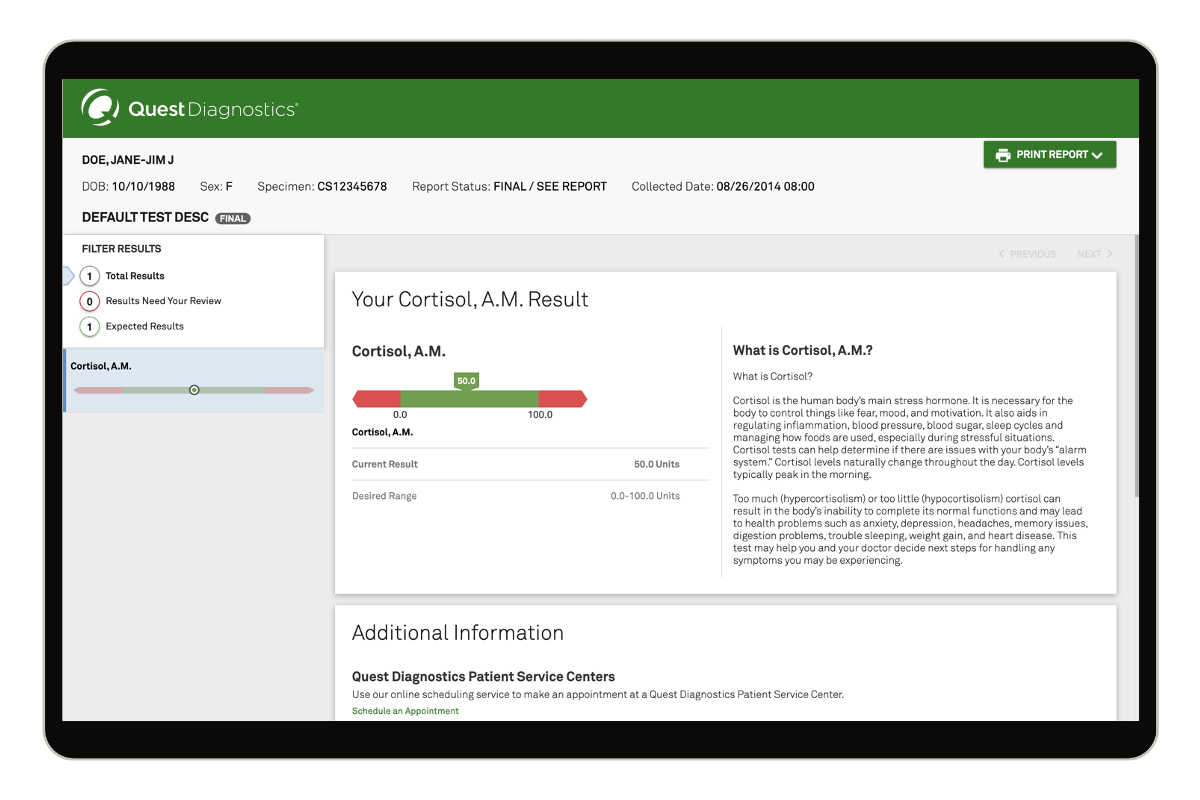
(Note: This article focuses exclusively on the Quest Diagnostics Test Directory, the primary clinical database utilized by healthcare providers, laboratorians, and patients to search, evaluate, and interpret diagnostic laboratory assays.)
Navigating diagnostic laboratory orders efficiently requires a robust clinical reference framework. The Quest Test Directory serves as the definitive, centralized compendium for clinicians, clinical laboratory scientists, and patients seeking precise information regarding specimen requirements, CPT coding, methodology, and reference intervals. As healthcare moves further into value-based care and precision diagnostics in 2026, understanding how to leverage this digital catalog directly impacts diagnostic accuracy, patient turnaround times, and insurance compliance. This guide deconstructs the structural components, clinical utility, and optimization strategies for utilizing the Quest Test Directory effectively.
Architecture and Core Components of the Online Test Directory
The digital architecture of the Quest Test Directory is engineered for rapid clinical retrieval. Every test entry follows a standardized nomenclature designed to eliminate ambiguity between regional lab variations and test code updates. When searching for an assay, users encounter a standardized hierarchy of data points essential for pre-analytical accuracy.
- Test Name and Synonyms: Comprehensive listings of official assay titles alongside common clinical abbreviations (e.g., comprehensive metabolic panel as CMP, or glycated hemoglobin as HbA1c).
- Test Code Identifier: Unique numeric or alphanumeric codes assigned by Quest Diagnostics to streamline electronic health record (EHR) ordering and lab requisition forms.
- CPT Coding: Current Procedural Terminology codes provided for billing accuracy and prior authorization determinations, reducing the risk of claim denials.
- Methodology: Explicit definitions of analytical techniques, such as mass spectrometry, immunoassays, PCR amplification, or flow cytometry.
- Container and Volume Specifications: Exact tube types (e.g., lavender-top K2EDTA, gold-top SST, royal blue-top trace element) and minimum required serum or plasma volumes.
Pre-Analytical Variables and Specimen Management Standards
Pre-analytical errors account for the vast majority of laboratory discrepancies. The Quest Test Directory outlines stringent handling protocols to safeguard specimen integrity from collection to analytical run. Clinicians must cross-reference patient preparation guidelines—such as fasting requirements, medication holds, and diurnal variation considerations—directly within the directory before phlebotomy.
> Clinical Safety Notice: Always verify specimen stability limits and centrifugation requirements within the live directory prior to dispatch. Delayed processing or incorrect temperature storage (e.g., ambient versus frozen on dry ice) will invalidate esoteric panels such as catecholamines or specialized molecular tests.
Temperature stability is explicitly categorized for every test. Assays requiring frozen transport dictate immediate separation of serum or plasma via centrifugation, transfer to transport vials, and storage in ultra-low freezers. Similarly, light-sensitive analytes, including certain vitamins and porphyrins, mandate the use of amber amberizing microtainers or foil-wrapped transport bags, all of which are cross-referenced in the directory's collection instructions.
Comparative Analysis of Ordering Modalities: Portal vs. EHR Integration
Selecting the appropriate ordering channel depends on clinical workflow scale and institutional infrastructure. The table below compares the primary modalities for accessing and utilizing the Quest Test Directory and ordering systems.
| Ordering Modality | Primary Target User | Integration Level | Key Advantage | Operational Limitation |
|---|---|---|---|---|
| Quest Directory Web Portal | Physicians, Practice Managers, Patients | Standalone Browser-Based | Instant access to search updates, CPT codes, and reference ranges without EHR login. | Manual transcription required unless integrated with lab requisition software. |
| EHR/EMR Direct Interface | Hospital Systems, Large Medical Groups | Fully Integrated Bi-directional | Automated test code mapping, reduced transcription errors, and instant clinical decision support. | Requires complex initial IT configuration and ongoing maintenance updates. |
| Quanum Diagnostics Solution | Ambulatory Practices, Specialists | Cloud-Based Practice Management | Unified workflow spanning test selection, result tracking, and patient communication. | Subscription or system dependency tied to Quest ecosystem infrastructure. |
Step-by-Step Guide to Executing Complex Test Lookups
Locating specialized esoteric tests or reflex panels requires a systematic approach to query construction within the directory search engine.
- Access the Platform: Navigate to the official Quest Diagnostics clinical test directory portal via a secure browser connection or your integrated EHR platform.
- Execute Targeted Queries: Enter the primary clinical term, disease state, or specific biomarker (e.g., "antinuclear antibodies by IFA"). Avoid overly broad terms to bypass excessive general results.
- Review the Test Profile Tab: Open the specific test result page and verify the "Clinical Utility" and "Interpretation" sections to ensure the chosen assay aligns with your diagnostic hypothesis.
- Examine Specimen and Transport Criteria: Check the volume, tube type, turnaround time (TAT), and whether the test requires a refrigerated centrifuge or specialized preservative.
- Verify Billing and Coding: Note the listed CPT codes and check insurance-specific coverage criteria or required Advance Beneficiary Notice (ABN) documentation for Medicare beneficiaries.
- Initiate Requisition: Transfer the validated test code directly into your requisition workflow or print the physical lab slip with all pre-analytical notes attached.
Optimizing Clinical Outcomes Through Advanced Directory Filters
Modern iterations of the Quest Test Directory incorporate advanced filtering mechanisms that allow practitioners to sort tests by clinical specialty—such as oncology, endocrinology, infectious disease, or prenatal screening. Leveraging these filters minimizes cognitive load during differential diagnosis. Furthermore, the inclusion of updated clinical guidelines and consensus statements directly inside test profiles ensures that ordering practices remain aligned with current medical standards.
Practitioners should also monitor the "Updates and Notifications" section of the directory interface. Laboratory medicine evolves rapidly, and test code retirements, methodology upgrades, or changes in reference intervals are published continuously. Subscribing to automated alerts for specific panels prevents canceled orders and ensures that patient charts reflect the most contemporary diagnostic benchmarks.
Frequently Asked Questions
What is the primary purpose of the Quest Test Directory?
The Quest Test Directory functions as an exhaustive, searchable online catalog providing clinicians and patients with detailed specifications, CPT codes, collection requirements, and methodologies for all laboratory assays offered by Quest Diagnostics. It ensures pre-analytical accuracy and efficient clinical ordering.
How do I find out if a specific test requires a fasting patient?
Fasting requirements are explicitly listed under the "Patient Preparation" or "Specimen Requirements" tab for each individual test entry within the directory. Always verify these parameters prior to patient phlebotomy.
Are CPT codes listed for every test in the directory?
Yes, standard CPT codes are provided alongside test codes to assist medical billing departments and clinicians with insurance verification, though final coding determinations remain subject to payer guidelines and local coverage determinations.
What should I do if a test code has been retired or replaced?
The directory search engine will typically display a redirection notice or an alert indicating the updated test code and the corresponding replacement assay methodology. Update your EHR preference lists immediately to reflect these changes.
Can patients use the Quest Test Directory to order their own labs?
While patients can browse the directory and utilize consumer-initiated testing platforms like QuestDirect where legally permitted, complex clinical diagnostic tests still require a licensed healthcare provider's authorization.
Streamlining Your Diagnostic Workflow
Integrating the Quest Test Directory into daily clinical operations enhances diagnostic precision, curates specimen integrity, and minimizes administrative billing friction. To optimize your practice's laboratory workflow today, bookmark the official Quest Diagnostics test catalog portal, audit your EHR preferred test lists for updated 2026 test codes, and establish a routine protocol for checking pre-analytical handling requirements prior to every patient draw.