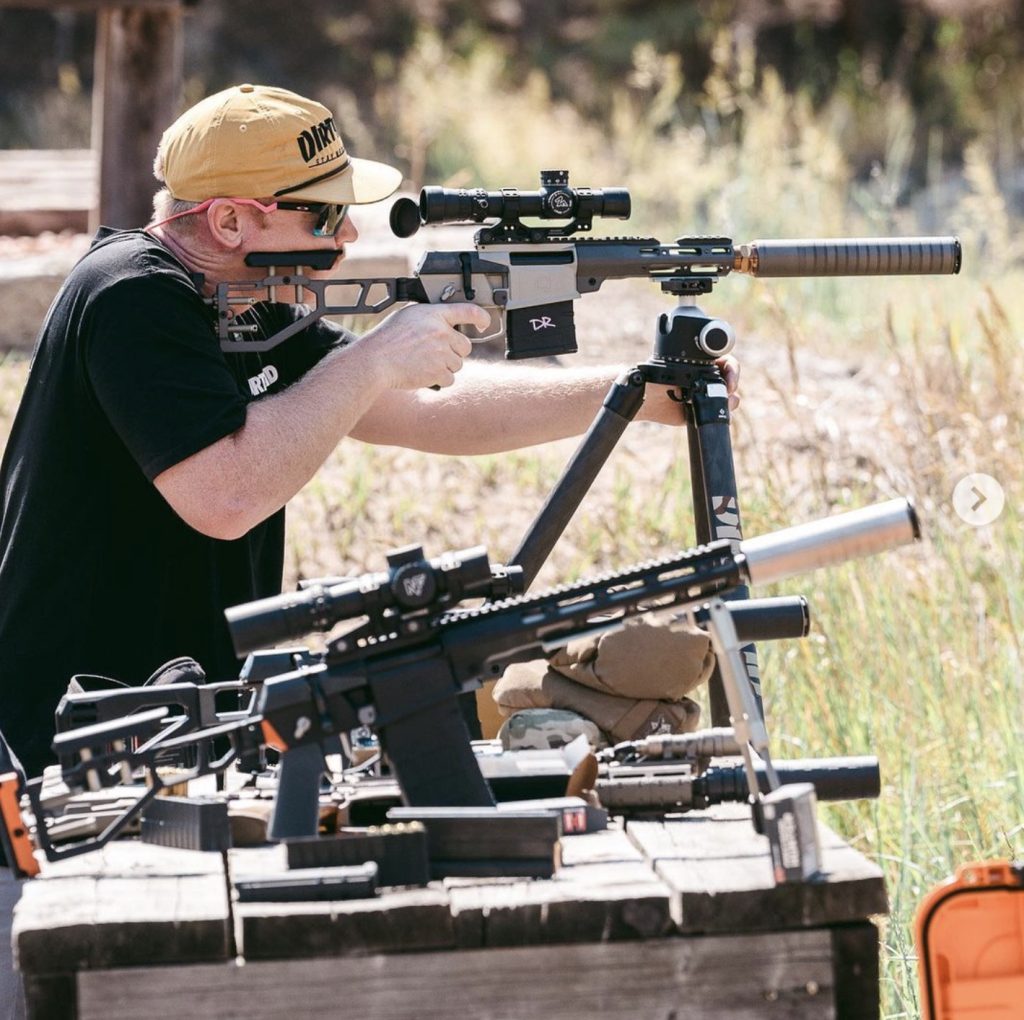
The ATF eForm 1, officially known as the "Application to Make and Register a Firearm," is the electronic filing system used by individuals, trusts, and legal entities to obtain federal permission to manufacture a National Firearms Act (NFA) weapon. This process is mandatory for creating items such as short-barreled rifles, silencers, and any-other-weapons (AOWs).
The National Firearms Act of 1934 and the subsequent Gun Control Act of 1968 established a rigid framework for the possession and manufacture of certain types of firearms. While the physical forms were historically submitted via mail, the Bureau of Alcohol, Tobacco, Firearms and Explosives (ATF) has moved primarily toward a digital landscape. In 2026, the eForm 1 remains the fastest and most efficient method for law-abiding citizens to "make" an NFA firearm. It is important to distinguish that "making" a firearm under Form 1 does not necessarily mean machining steel from a raw block; it often refers to the legal conversion of an existing firearm, such as adding a stock to a pistol to create a Short-Barreled Rifle (SBR).
Understanding the Scope of the eForm 1
The eForm 1 is specifically for the making of a firearm. If you are purchasing a finished NFA item from a dealer—such as a factory-made suppressor or a short-barreled rifle—you would instead use an eForm 4. The distinction is critical because the responsibilities of the applicant differ significantly. On a Form 1, you are the manufacturer (or "maker"). This means you are responsible for ensuring the firearm meets all engraving requirements and technical specifications outlined in your application once it is approved.
Common items registered via eForm 1 include:
- Short-Barreled Rifles (SBR): Rifles with a barrel length under 16 inches or an overall length under 26 inches.
- Short-Barreled Shotguns (SBS): Shotguns with a barrel length under 18 inches or an overall length under 26 inches.
- Silencers/Suppressors: Devices intended to diminish the report of a portable firearm. Note that as of recent years, the ATF has increased scrutiny on "solvent trap" kits, requiring applicants to provide more detail on the manufacturing process.
- Any Other Weapons (AOW): This category includes specific concealable weapons like pen guns or pistols with vertical foregrips, provided they do not fit other definitions.
Prerequisites and Eligibility Requirements
Before beginning an eForm 1 application in 2026, you must determine your filing status. You can file as an individual, a member of a legal trust, or as a corporation. Each path has distinct legal implications and documentation requirements.
Individual vs. Trust Filings
Filing as an individual is often the quickest path to approval. The documentation is straightforward, requiring only your personal information, fingerprints, and a photograph. However, an individual filing means that you are the only person who can legally possess the firearm. If a family member or friend is found in sole possession of the NFA item, they (and you) could face severe federal penalties.
Filing as a Trust or Legal Entity (such as an LLC) allows for multiple "Responsible Persons" to possess the firearm. This is the preferred method for many because it simplifies estate planning and allows for shared use of the equipment. However, in 2026, every "Responsible Person" named in the trust must submit their own set of fingerprints, photographs, and a Responsible Person Questionnaire (Form 5320.23). This can make the initial filing process more cumbersome if the trust has many members.
Technical Requirements
To complete the eForm 1, you will need the following digital assets:
- Digital Fingerprint File (.eft): Most applicants now use digital fingerprint files created by authorized software. This eliminates the need to mail physical FD-258 cards to Martinsburg, WV, significantly speeding up processing times.
- Digital Passport Photo: A clear, front-facing photo taken within the last six months, usually in .jpg or .png format.
- CLEO Information: You must identify your Chief Law Enforcement Officer (CLEO). This is typically the Sheriff or Chief of Police in your jurisdiction. You are no longer required to obtain their permission, but you are legally required to send them a copy of your application notification.
The Step-by-Step eForm 1 Application Process
Navigating the ATF eForms portal requires patience and attention to detail. Errors on the form often lead to "Disapproved" status, which requires you to start over and wait for a refund of your $200 tax stamp fee.
1. Account Creation and Login
Visit the ATF eForms website and register for an account. Ensure your username and password are secure. Once logged in, select "Form 1" from the carousel of available forms.
2. Application Type
You will first select your application type. For most users, this is "Tax Paid ($200)." While there have been historic windows for "Tax Exempt" filings (such as during the 2023 pistol brace amnesty period), these are rare and specific to executive orders or rule changes.
3. Applicant Information
In this section, you provide your name, address, and social security number (optional but recommended to prevent identity confusion). If you are filing as a Trust, you will upload a digital copy of your signed and notarized Trust documents here.
4. Responsible Person(s)
This tab is where you enter the data for everyone who will have legal access to the firearm. For an individual, this is just you. For a trust, you must add an entry for every trustee. You will upload your digital photo and .eft fingerprint file in this section.
5. Firearm Information
This is the most critical section for technical accuracy. You must provide:
- Manufacturer: If you are converting an existing firearm (like an Aero Precision or Colt lower receiver), that company is the manufacturer.
- Country of Origin: The country where the original receiver was made.
- Model: The specific model name engraved on the receiver.
- Serial Number: The serial number exactly as it appears on the receiver.
- Caliber/Gauge: Use specific designations (e.g., "5.56" or ".30"). Avoid using "Multi," as the ATF typically rejects this.
- Barrel and Overall Length: You must provide your best estimate of the final dimensions. For an SBR, the overall length is measured with the stock fully extended.
6. Electronic Documents and Certification
In this stage, you upload any additional supporting documents. Finally, you will sign the document electronically. The system will then redirect you to Pay.gov to pay the $200 tax stamp fee via credit/debit card or ACH.
Costs, Fees, and the $200 Tax Stamp
The most significant cost associated with the eForm 1 is the $200 federal excise tax. This tax has remained unchanged since 1934, though its relative value has decreased significantly over time. It is important to note that this fee is per firearm. If you intend to make three SBRs, you must file three separate eForm 1s and pay $600 in total.
| Feature | Individual Filing | Trust/Entity Filing |
|---|---|---|
| Tax Stamp Cost | $200.00 | $200.00 |
| Fingerprint Requirement | 1 Set (Applicant) | 1 Set per Responsible Person |
| CLEO Notification | Required | Required |
| Possession Rights | Applicant Only | All Trustees/Officers |
| Documentation | Photo/Prints | Photo/Prints/Trust Docs/RPQ |
| Processing Speed | Generally Faster | Slightly Slower due to RPQ verification |
Beyond the tax stamp, applicants should budget for:
- Engraving Services: Once approved, you must engrave your name (or trust name) and your city/state on the firearm. This usually costs between $30 and $75.
- Digital Fingerprints: Professional .eft file services typically charge $50–$60, but the file can be reused for future applications.
- Trust Drafting: If you choose to use a trust, a specialized NFA trust from an attorney or reputable service can range from $50 to $300.
Common Pitfalls and Troubleshooting
The ATF eForms system is notorious for being temperamental. Users often encounter "Pending Research" status. This occurs when you enter a manufacturer or model that is not currently in the ATF’s drop-down database. An ATF examiner must manually verify that the manufacturer exists before your application can move to the "Submitted" stage. This can add weeks to your wait time. To avoid this, try to select an existing manufacturer from the list if possible.
Another frequent error is the discrepancy in names. If your trust is named "The John Doe Revocable Living Trust," but you type "John Doe Trust" on the form, your application will likely be denied. The names must match your legal documents and the engravings on your firearm exactly.
In 2026, the use of .eft (Electronic Fingerprint Transmission) files has drastically reduced the "lost in the mail" issue. If you still choose to mail physical cards, you must include the cover sheet generated by the eForms system after payment. Failure to include this cover sheet will result in the ATF being unable to link your prints to your electronic file.
Post-Submission: What to Expect
Once your status changes to "Submitted/In Process," the waiting game begins. As of 2026, eForm 1 wait times typically range from 30 to 60 days, though some applicants receive approvals in as little as two weeks. This is significantly faster than the eForm 4, which involves transfers between parties and often takes several months.
You will receive an email notification once your application is approved. This email will contain a PDF of your Form 1 with a digital "Tax Stamp" canceled with your approval date. You must keep a copy of this document. While a digital copy on your smartphone is generally accepted by law enforcement during range visits, it is highly recommended to keep a physical, printed copy with the firearm at all times.
Engraving Requirements
The law requires that once you have the approved Form 1, you must engrave the firearm with the following information:
- The Individual’s Name or the Legal Name of the Trust.
- The City and State where the firearm was made.
This must be engraved to a minimum depth of .003 inches and in a font no smaller than 1/16 inch. The engraving must be on the frame, receiver, or barrel. Most owners choose to engrave the receiver for permanency, especially on SBRs where barrels might be swapped in the future.
Frequently Asked Questions
Can I build my firearm before the eForm 1 is approved?
No. You may possess the parts (such as a short barrel and a receiver), but you cannot assemble them into an NFA configuration until you have the approved tax stamp in your possession. Doing so constitutes the illegal manufacture of an NFA weapon, a felony under federal law.
What if I move to a different state?
NFA items are regulated by interstate travel laws. For SBRs, SBSs, and AOWs, you must file ATF Form 5320.20 and receive approval before transporting the items across state lines. Interestingly, silencers do not require this prior approval for interstate travel, though you must still comply with the laws of the destination state.
Is the $200 fee refundable?
Yes, if your application is "Disapproved," the ATF will automatically issue a refund to the original payment method. However, once the form is "Approved," the tax is considered "paid and used," and no refund will be issued even if you decide not to build the firearm.
Does the eForm 1 expire?
The approval does not expire as long as you maintain the firearm in its registered configuration. If you choose to "de-register" the firearm (e.g., by returning an SBR to a standard rifle configuration and selling it), you should notify the ATF NFA Division in writing so they can update the National Firearms Registration and Transfer Record (NFRTR).
Can I change the caliber of my SBR after approval?
The ATF requests that you notify them of "permanent" changes to the firearm's configuration. However, if you are simply swapping uppers (e.g., switching from a 5.56 barrel to a .300 Blackout barrel) and you still possess the original barrel length/caliber listed on the form, no notification is strictly required.
Final Recommendation for Applicants
For those looking to register an NFA item in 2026, the eForm 1 remains the gold standard for speed and control. To ensure the highest probability of a first-time approval, invest in a professionally created .eft fingerprint file and double-check every character of your firearm’s serial number. If you value flexibility and family access, filing under a Gun Trust is the most robust long-term strategy, despite the slightly higher initial paperwork burden. Always ensure your engravings are completed by a professional laser engraver immediately following approval to remain in full compliance with ATF Rule 27 CFR 479.102.