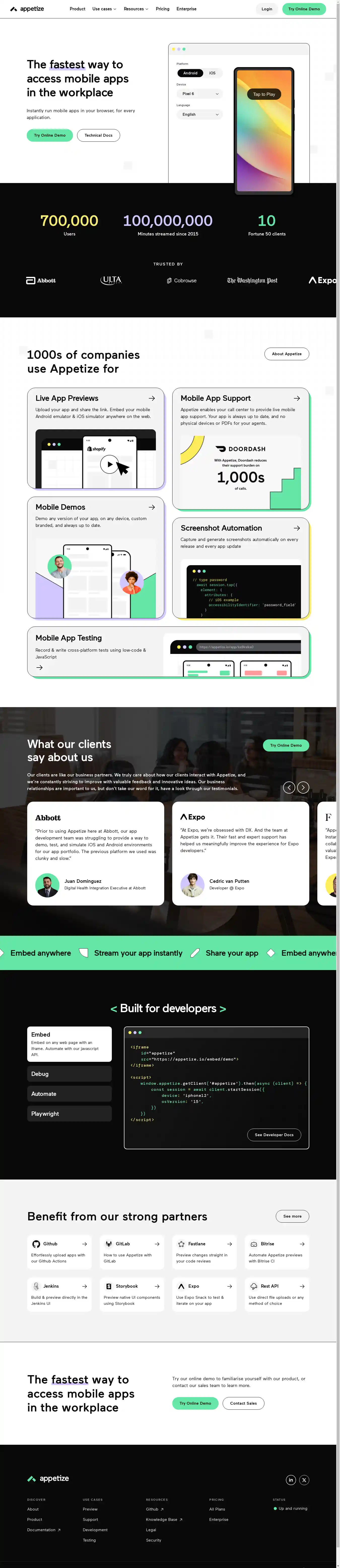
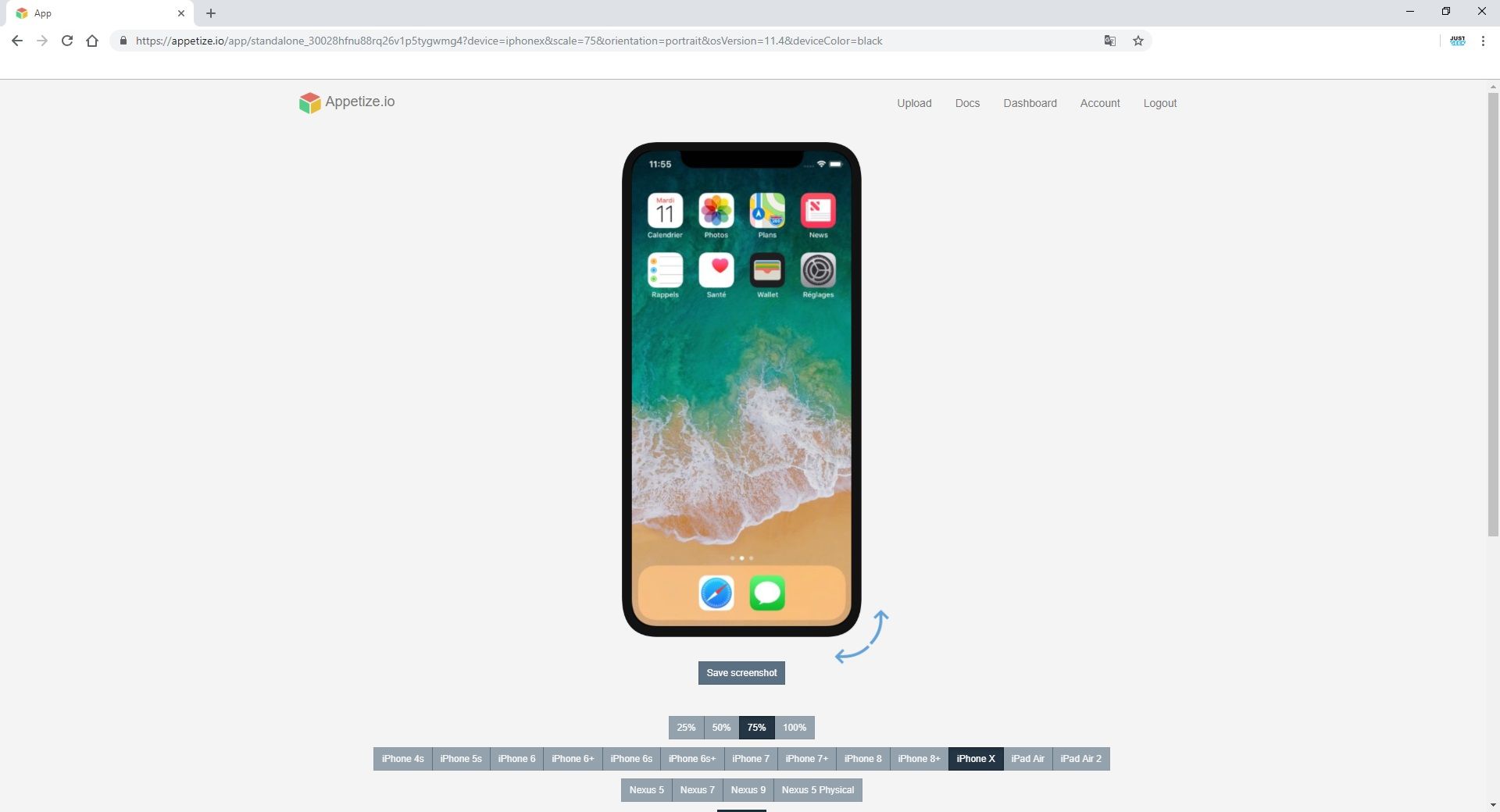
Appetize.io is a premier web-based platform that allows users to run native iOS and Android applications directly within a web browser. By leveraging cloud-based streaming technology, it eliminates the need for local emulators, plugins, or specialized hardware, making it an essential tool for app demonstrations, customer support, and automated mobile testing.
The landscape of mobile application development and quality assurance has shifted significantly toward remote-first and browser-centric workflows. Historically, developers and support teams were tethered to local environments—Xcode for iOS or Android Studio for Android—which required high-performance hardware and complex configurations. Appetize.io revolutionized this by virtualizing the mobile operating system environment and streaming it via HTML5 and JavaScript. As we navigate the technical requirements of 2026, understanding how to maximize this platform is critical for any organization that prioritizes mobile-first user experiences.
The Evolution of Browser-Based Emulation
The core technology behind Appetize.io is grounded in the transition from heavy, resource-intensive local virtualization to lightweight, high-concurrency cloud streaming. Unlike traditional emulators that require a hypervisor running on the user's machine, Appetize.io hosts the mobile OS on its own servers. When a user accesses a "device" through the browser, they are essentially viewing a high-speed video stream of a remote virtual machine, while their mouse and keyboard inputs are sent back to the server in real-time.
This architecture solves several persistent problems in the development lifecycle:
- Hardware Independence: A support agent using a low-powered Chromebook can interact with a high-end iOS application as easily as a developer on a Mac Studio.
- Instant Accessibility: There is no "boot time" for the end-user. The environment is pre-configured and ready to load the specified build immediately.
- Consistency: By using a centralized cloud image, every member of a team sees exactly the same device state, OS version, and app build, eliminating the "it works on my machine" phenomenon.
Core Features and Capabilities
Appetize.io is not merely a screen-sharing tool for mobile apps; it is a sophisticated environment designed for technical depth and integration.
Seamless Browser Integration
The platform uses HTML5 and Canvas to render the mobile interface. This means it works on any modern browser—Chrome, Safari, Firefox, or Edge—without requiring the user to install Adobe Flash (long deprecated) or custom browser extensions. This accessibility is vital for companies that need to embed app previews into public-facing websites or internal documentation.
Comprehensive Device and OS Support
As of 2026, Appetize.io continues to support a vast array of device configurations. This includes the latest iterations of the iPhone and iPad, as well as a diverse selection of Android smartphones and tablets. Users can toggle between various screen resolutions, aspect ratios, and OS versions (from legacy versions for regression testing to the latest developer previews).
Network Interception and Proxying
For advanced debugging, Appetize.io allows developers to monitor network traffic generated by the app. By configuring the virtual device to use a proxy, engineers can inspect API calls, check header responses, and simulate various network conditions like 3G, LTE, or high-latency environments. This is crucial for testing how an application behaves in regions with poor connectivity.
API and Automation
The platform provides a robust REST API that allows for the programmatic management of app builds. Developers can automate the process of uploading a new .apk or .app bundle as part of a Continuous Integration/Continuous Deployment (CI/CD) pipeline. Once uploaded, the API can be used to generate temporary links or to launch specific app states via deep links.
Key Use Cases for Appetize.io
To understand the value of Appetize.io, one must look at how different departments within a tech organization utilize the platform.
1. Customer Support and Success
When a user reports a bug, support agents often struggle to replicate the issue without having the same physical device. Appetize.io allows an agent to instantly launch the exact version of the app the customer is using. Many organizations embed Appetize.io into their support portals (like Zendesk or Salesforce), enabling agents to walk customers through complex UI workflows in real-time.
2. Mobile App Demos and Sales
Sales teams often need to demo mobile apps during video calls or at trade shows. Sharing a phone screen via Zoom can be laggy and unprofessional. By using Appetize.io, a salesperson can share a browser tab containing a perfectly rendered app. Furthermore, companies can embed a "Live Demo" button on their website, allowing prospective customers to try the app for a few minutes without downloading it from the App Store or Google Play.
3. Training and Documentation
Technical writers use Appetize.io to capture high-quality screenshots and videos for documentation. Instead of taking photos of a physical phone, they can use the browser's native tools to capture the virtual device's screen. Additionally, new employee onboarding can include interactive training modules where the trainee follows along within a live, embedded app instance.
4. Quality Assurance (QA) and Crowdsourced Testing
QA teams use the platform for manual exploratory testing. Because Appetize.io logs all interactions and console outputs, it is easier to document bugs. For crowdsourced testing, companies can provide testers with a link to the app in Appetize.io, ensuring that testers do not have to "sideload" potentially insecure builds onto their personal devices.
Technical Requirements and Setup
Setting up an app on Appetize.io is straightforward, but it requires specific build formats to function correctly in a virtualized environment.
Preparing the Build
- For iOS: You cannot upload a standard
.ipafile meant for the App Store, as those are compiled for ARM architecture used by physical devices. Instead, you must provide a simulator-compatible build. This is typically a zipped.appbundle compiled for thex86_64orarm64simulator architecture in Xcode. - For Android: You can generally upload a standard
.apkfile. However, ensure the build supportsx86_64orx86architectures for optimal performance on the cloud servers.
Uploading and Configuration
Once the build is ready, it is uploaded via the Appetize.io dashboard or API. Users can then configure default settings for the app, such as:
- Device Scale: Setting the default zoom level for the browser.
- Orientation: Choosing between portrait or landscape.
- Debug Log: Enabling or disabling the visibility of the system logs next to the device.
- Language and Region: Pre-setting the locale to test internationalization.
Comparative Analysis: Appetize.io vs. Competitors
While Appetize.io is a leader in browser-based streaming, other platforms offer mobile testing capabilities. The following table compares Appetize.io with other major industry players as of 2026.
| Feature | Appetize.io | BrowserStack | Sauce Labs | Genymotion Cloud |
|---|---|---|---|---|
| Primary Tech | Cloud Streaming (Simulator/Emulator) | Real Device Cloud | Real Device & Emulator | Android Emulation (SaaS) |
| Best For | Demos, Support, Embedding | Manual & Auto QA | Enterprise CI/CD | Heavy Android Development |
| Setup Time | Instant (Browser-based) | Low | Moderate | Moderate |
| App Store Testing | No (Simulated only) | Yes (Real devices) | Yes (Real devices) | No |
| Ease of Embedding | Excellent (iFrame/API) | Limited | Limited | Moderate |
| Performance | High (Optimized for Web) | High (Real hardware) | High | Variable |
Why Choose Appetize.io Over Real Device Clouds?
Real device clouds like BrowserStack are essential for catching hardware-specific bugs (e.g., thermal throttling or specific sensor failures). However, Appetize.io is often preferred for high-concurrency needs. If you need 500 people to view an app simultaneously during a keynote, a real device cloud would be prohibitively expensive and logistically difficult, whereas Appetize.io can scale virtual instances almost infinitely.
Security and Enterprise Integration
For enterprise clients, security is a paramount concern. Appetize.io addresses this through several layers of protection:
- Single Sign-On (SSO): Integration with Okta, Azure AD, and Google Workspace ensures that only authorized employees can access internal app builds.
- Network Isolation: Apps run in isolated sandboxes. Once a session ends, the virtual machine is wiped, ensuring no data persistence between different users.
- Private Cloud Options: Larger organizations can opt for dedicated infrastructure, ensuring that their app builds and data never traverse shared public servers.
- IP Whitelisting: Organizations can restrict access to their Appetize.io instances to specific corporate IP ranges.
Pricing Models
Appetize.io typically operates on a "freemium" model, which has remained consistent in its structure through 2026:
- Trial/Free Tier: Usually offers one concurrent session and a limited number of minutes per month. This is ideal for independent developers or small open-source projects.
- Basic/Professional: Targeted at small teams, offering more minutes and additional concurrent sessions to prevent queuing.
- Premium: Designed for mid-sized companies needing several concurrent sessions and team management features.
- Enterprise: Custom pricing based on high-volume usage, SSO requirements, and dedicated support. This tier is essential for companies embedding the platform into high-traffic websites.
Troubleshooting Common Issues
Despite its ease of use, users may encounter technical hurdles when using Appetize.io.
Latency and Input Lag
Since the device is being streamed, users with high-latency internet connections may experience a delay between clicking and seeing an action. To mitigate this, ensure that you are connecting to the Appetize.io data center closest to your physical location (e.g., US-East, EU-West, or Asia-Pacific).
App Crashes on Launch
If an app crashes immediately upon opening in Appetize.io, it is almost always due to an architecture mismatch. For iOS, double-check that the build was exported specifically for the Simulator. A build intended for an iPhone 16 Pro (Real Device) will not run on the Appetize.io virtual environment.
Audio and Microphone Issues
While Appetize.io supports audio streaming, microphone input can sometimes be finicky depending on browser permissions. Users must ensure that they have granted the browser permission to access the microphone and that the "Enable Audio" toggle is active within the Appetize.io interface.
FAQs
Can I access the Google Play Store or Apple App Store on Appetize.io?
No. Appetize.io uses simulators and emulators, which do not include the proprietary licensed versions of the App Store or Google Play Store. You must have the source code or the compiled build file (.apk or .app) to run an application on the platform.
Does Appetize.io support physical gestures like "pinch to zoom"?
Yes. The platform maps mouse and trackpad gestures to mobile touch events. Holding the 'Alt' or 'Option' key while clicking usually simulates a multi-touch gesture like pinching or spreading, allowing you to test zoom functionality within your app.
Can I test push notifications on Appetize.io?
Testing push notifications is complex on simulators. For Android, it is possible if you include the necessary Google Play Services dependencies in your emulator build. For iOS, Apple's simulators have limited support for push notifications compared to real devices, though recent updates to Xcode have improved this.
Is there a limit to how many people can view my app at once?
The limit is determined by your subscription plan's "concurrent sessions." If your plan allows for 10 concurrent sessions, the 11th person attempting to view the app will be placed in a queue until a session becomes available.
Can I use Appetize.io for mobile game testing?
While Appetize.io can run games, it is optimized for standard UI applications. High-frame-rate games may experience frame drops or input lag due to the nature of video streaming. For heavy 3D rendering or competitive gaming, a real device cloud or local hardware is recommended.
Does the platform support biometric authentication testing?
Appetize.io allows you to simulate FaceID or TouchID "Success" or "Failure" responses through the device interaction menu. This allows developers to test how their app handles biometric logic without needing actual biometric hardware.
Practical Recommendation
For organizations looking to implement Appetize.io in 2026, the most effective starting point is to integrate it into your pull request (PR) workflow. By using the Appetize.io API to automatically generate a preview link for every new feature branch, code reviewers can interact with the changes immediately without needing to compile the code locally. This drastically reduces the feedback loop and ensures that UI/UX designers can verify changes as soon as they are pushed by the engineering team.